
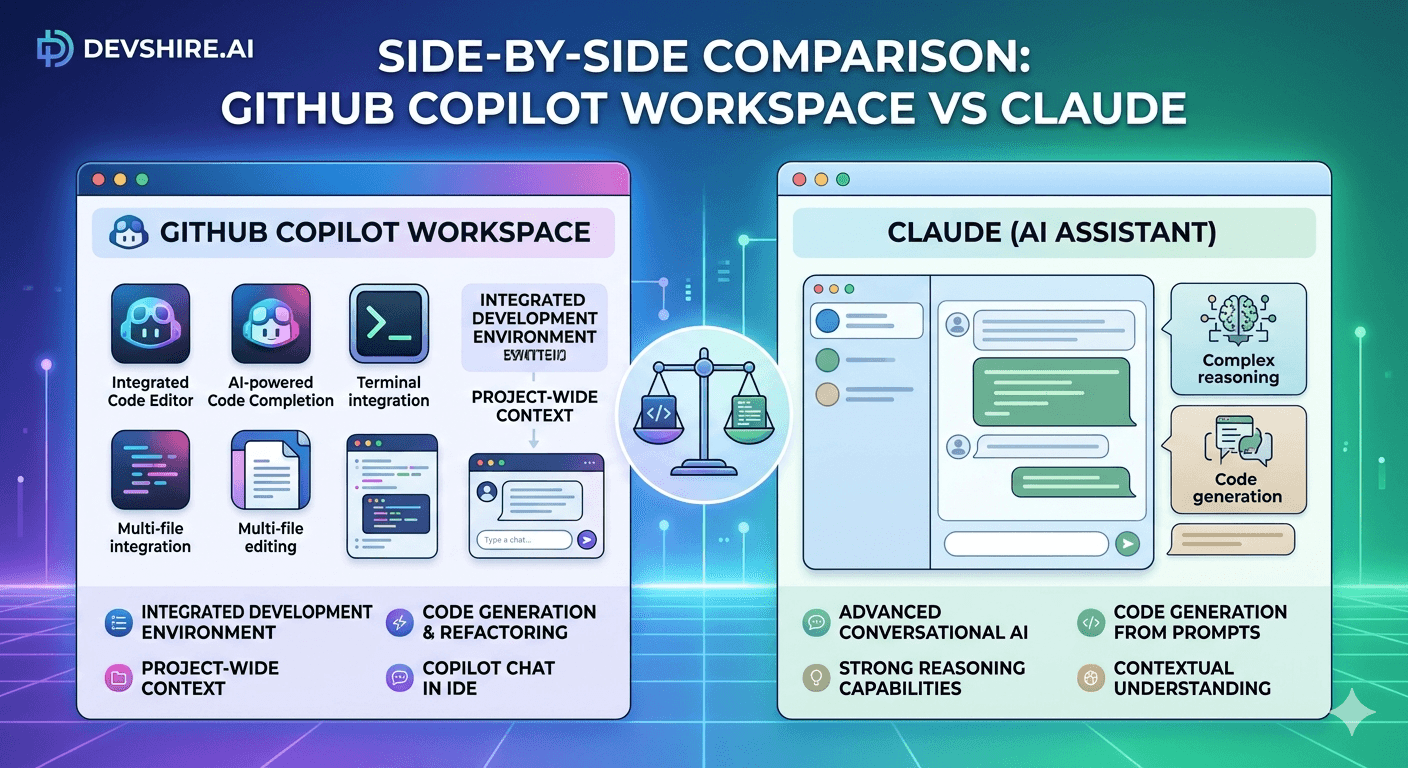
GitHub Copilot Workspace and Claude solve genuinely different problems — which makes comparisons tricky. One is a GitHub-embedded agentic coding environment that turns issues into code. The other is the most capable long-context reasoning model available to developers right now. Comparing them head-to-head is like comparing a crane to a scalpel. But developers are choosing between them daily, so the comparison is worth doing carefully. After running both on the same set of real development tasks, here's what the GitHub Copilot Workspace review actually reveals — and where Claude wins clearly.
💡 TL;DR
GitHub Copilot Workspace is best for GitHub-native teams who want to automate the issue-to-PR pipeline without leaving the GitHub UI. Claude is better for complex reasoning tasks: architecture review, long-context code analysis, debugging complex systems, and generating code that needs to fit nuanced specifications. Neither replaces the other. Teams doing primarily feature development in GitHub workflows should lead with Copilot Workspace. Teams doing architecture work, code review, and complex problem-solving should lead with Claude. Many teams use both — Copilot Workspace for execution, Claude for reasoning.
Two Tools Built for Different Jobs
GitHub Copilot Workspace is an agentic coding environment inside GitHub. You open an issue, describe what you want done, and Copilot Workspace generates a plan, writes code across multiple files, and opens a PR — all within the GitHub interface. It's designed to reduce the distance between "someone filed a bug" and "there's a PR fixing it."
Claude is a large language model with a 200,000-token context window, accessed through claude.ai or the API. For developers, it's most useful as a reasoning partner — for tasks that require understanding complex code, thinking through architecture, reviewing long code sections, and producing output that needs to fit precise specifications.
Dimension | GitHub Copilot Workspace | Claude |
|---|---|---|
Primary use case | Issue-to-PR automation | Reasoning, review, complex generation |
Context window | Repo-level, GitHub-indexed | 200K tokens (full file dumps) |
Integration | Native in GitHub | Via claude.ai or API |
Agentic execution | Yes — opens PRs | Via API only |
Reasoning quality | Medium | Best-in-class |
Price | Included with Copilot ($10–19/mo) | $20/mo (Pro) or API usage |
GitHub Copilot Workspace: What It Actually Does in Practice
The GitHub Copilot Workspace review that matters isn't what Copilot Workspace can do in a demo — it's what it does on real work. Here's the honest picture:
For well-scoped, isolated feature additions and bug fixes, Copilot Workspace is genuinely impressive. Open an issue that says "Add email validation to the user registration form," hit the Workspace button, and you'll get a plan and a code diff in 30–60 seconds. For self-contained issues, the output is often close to production-ready.
For complex, cross-cutting changes — refactors that touch architectural patterns, features that require understanding domain logic, anything where "what the code should do" requires context beyond the issue text — Copilot Workspace struggles. The plan it generates can miss dependencies, misunderstand shared state, or propose changes that are technically valid but architecturally wrong for the codebase.
⚠️ The hidden speed trap
Copilot Workspace generates code fast — which makes it tempting to accept the output without careful review. On simple issues, this is fine. On complex ones, accepting unreviewed Workspace output has caused multiple teams to ship architectural debt that took weeks to untangle. Fast output isn't the same as correct output. Always review Workspace diffs as carefully as you'd review a junior developer's PR.
Claude: Where It Beats Everything Else for Dev Work
Claude's 200K token context window is the feature that separates it from every other tool in this comparison. You can paste an entire service layer — 5,000 lines of code — and ask Claude to find architectural inconsistencies, security risks, or performance problems. No other model handles that volume with that level of coherent reasoning.
A senior backend engineer at a 40-person SaaS company used Claude to audit their authentication service before a security review. They pasted the entire service — 3,800 lines of Go — and asked Claude to identify security vulnerabilities, missing error handling, and any places where the code diverged from the OAuth 2.0 specification. Claude returned 11 specific issues with file locations and line numbers. The security auditor found 9 of the same issues independently — and missed 2 that Claude had flagged.
Claude also wins clearly on architecture planning. Feed it your requirements, your existing data model, and your scaling constraints, then ask for architecture options with trade-offs. The output is structured, reasoned, and specific. It's not a substitute for a system design session with your team — but it's a strong starting document that makes that session 50% shorter.
Head-to-Head: Same Tasks, Both Tools
Here's how the two tools performed on the same set of development tasks:
🐛 Bug fix from a GitHub issue
Copilot Workspace: generated a fix in 45 seconds from the issue title alone. Required minimal editing. Winner: Copilot Workspace (faster, natively integrated with the issue). Claude required pasting the issue + relevant code manually.
🏗️ Architecture review of an existing service
Copilot Workspace: couldn't process the full service context coherently. Gave generic advice. Claude: pasted the full service, got 9 specific, actionable architectural observations with line references. Winner: Claude — clearly.
🔄 Refactoring a module to use a new pattern
Copilot Workspace: generated a partial refactor that missed shared utilities. Required significant manual correction. Claude: with the module and the target pattern pasted together, generated a clean refactor with a list of the decisions it made. Winner: Claude for complex refactors; Copilot Workspace for simple, isolated ones.
📝 Writing technical documentation from code
Copilot Workspace: not designed for this task. Claude: pasted 1,200 lines of API handlers, asked for endpoint documentation in markdown. Got complete, accurate documentation in 40 seconds. Winner: Claude.
Trusted by 500+ startups & agencies
"Hired in 2 hours. First sprint done in 3 days."
Michael L. · Marketing Director
"Way faster than any agency we've used."
Sophia M. · Content Strategist
"1 AI dev replaced our 3-person team cost."
Chris M. · Digital Marketing
Join 500+ teams building 3× faster with Devshire
1 AI-powered senior developer delivers the output of 3 traditional engineers — at 40% of the cost. Hire in under 24 hours.
The Decision Framework: Which Tool for Which Task
Use GitHub Copilot Workspace when:
The task is a self-contained feature or bug fix that can be described in a GitHub issue
Your team uses GitHub as the primary workflow hub and wants minimal context-switching
The change scope is clear and bounded — not something that affects architectural patterns
Speed matters more than depth of reasoning on the solution
Use Claude when:
The task requires reasoning about a large codebase, complex logic, or multiple interacting systems
You're doing architecture planning, security review, or technical debt analysis
The output needs to fit a precise specification that you can describe in detail
You're debugging something non-obvious and need a reasoning partner, not just a code generator
If you're using Copilot already, the marginal cost of adding Claude Pro is $20/month. For most developers who do even one complex reasoning task per week, that cost is recovered in the first session.
Three Things Copilot Workspace Still Gets Wrong
The GitHub Copilot Workspace review wouldn't be complete without being direct about its current limitations:
Plan quality degrades on complex issues. When the issue is simple, the plan is correct. When the issue requires understanding cross-cutting concerns — shared state, event chains, architectural constraints — the plan often misses dependencies. You end up with technically valid code that breaks existing behavior in a non-obvious way.
It can't reason about intent. Copilot Workspace reads the code and the issue. It doesn't know why something was built a certain way. If the existing code has a non-obvious pattern for a good reason, Workspace will treat it as something to clean up and remove it. This has caused subtle regressions in several teams we've seen using it.
Review discipline drops. This is the most dangerous weakness. Developers review Workspace-generated code less carefully than manually written code — because it was "AI-reviewed" already. That's a false confidence. Workspace generates code; it doesn't verify correctness. Review every Workspace PR with the same rigor as any other PR.
Using Both Together: The Best Workflow
The teams getting the most value in 2026 aren't choosing between Copilot Workspace and Claude. They're using them in sequence: Claude for reasoning and planning, Copilot Workspace for execution.
The pattern: complex issue comes in → use Claude to reason through the approach, identify edge cases, and plan the implementation → write the implementation brief as a well-scoped GitHub issue → use Copilot Workspace to generate the code from that well-scoped issue → review the output → merge.
This workflow pairs Claude's reasoning quality with Copilot Workspace's execution speed. The output is faster than pure manual development and higher quality than pure Copilot Workspace automation.
Where Each Tool Is Heading
GitHub Copilot Workspace is improving fast. Each major update has addressed the plan quality issues on complex tasks. By late 2026, it may handle a significantly wider range of complex refactors reliably. The GitHub integration advantage is permanent — no other tool will be as natively embedded in the GitHub workflow.
Claude's trajectory is context and reasoning. The 200K context window is already the largest in the market. Future versions will likely extend this further and improve agentic capabilities — giving Claude the ability to execute changes, not just reason about them.
The practical implication: both tools will keep improving. The workflow pattern of using Claude for reasoning and Copilot Workspace for execution will remain valuable even as both tools get better, because they're improving in their respective strengths, not converging on the same capability.
How devshire.ai Screens for Tool Fluency on Both
At devshire.ai, we screen developers on tool use across the full AI toolchain — including GitHub Copilot, Copilot Workspace, and Claude. The specific thing we test isn't whether they know the tools. It's whether they know which tool to reach for and when.
A developer who uses Copilot Workspace for everything — including complex architectural work — is a risk. A developer who uses Claude for everything — including simple isolated bug fixes — is slower than they should be. The developers who get placed fastest are the ones who've built a clear mental model of tool selection based on task type.
That judgment is what separates genuinely AI-native developers from developers who have AI tools installed. If you need the former on your team quickly, that's the profile we screen for.
The Bottom Line
GitHub Copilot Workspace is best for self-contained, well-scoped GitHub issues. It's fast, natively integrated, and reduces issue-to-PR time significantly for bounded feature work.
Claude wins on complex reasoning: architecture review, long-context code analysis, security audits, and generating code that needs to fit precise nuanced specifications.
Copilot Workspace plan quality degrades on complex, cross-cutting changes. Always review Workspace-generated PRs as carefully as any other PR — the agentic execution doesn't mean the output is correct.
The most effective 2026 workflow pairs both: Claude for reasoning and planning, Copilot Workspace for executing well-scoped implementations.
Claude's 200K token context window is its primary developer advantage — no other widely available tool handles full-service code analysis at that volume with comparable reasoning quality.
The marginal cost of adding Claude Pro to an existing Copilot subscription is $20/month. For developers who do complex reasoning tasks weekly, the ROI is immediate.
Both tools will keep improving in their respective strengths. The complementary workflow pattern will remain valuable even as capabilities increase.
Frequently Asked Questions
What is GitHub Copilot Workspace?
GitHub Copilot Workspace is an agentic coding environment built into GitHub. It lets developers open a GitHub issue, describe what they want done, and have Copilot generate a plan and write code across multiple files before opening a PR. It's included with GitHub Copilot subscriptions and is designed to reduce the time from issue creation to a mergeable PR, particularly for self-contained feature additions and bug fixes.
Is Claude better than GitHub Copilot for developers?
They're better at different things. Claude is stronger for reasoning-intensive tasks: architecture review, long-context code analysis, debugging complex systems, and generating code from nuanced specifications. GitHub Copilot (and Copilot Workspace) is stronger for execution: inline completions, issue-to-PR automation, and integrating seamlessly with the GitHub workflow. Most developers who use both find Claude better for thinking and Copilot better for doing.
How much does GitHub Copilot Workspace cost?
Copilot Workspace is included with the GitHub Copilot subscription. GitHub Copilot Individual is $10/month; GitHub Copilot Business is $19/user/month. There's no additional cost for Workspace specifically. For comparison, Claude Pro is $20/month and accessed via claude.ai or the Anthropic API separately from the GitHub ecosystem.
Can GitHub Copilot Workspace handle complex refactors?
For simple, isolated refactors — renaming patterns, extracting functions, converting code to a newer syntax — Workspace handles these reliably. For complex, cross-cutting refactors that touch architectural patterns or shared state across many files, it struggles with plan quality and often misses dependencies. Use Claude or Cursor for complex refactors; reserve Workspace for bounded, well-scoped changes.
Find Developers Fluent in the Full AI Toolchain
devshire.ai screens every developer on real AI tool use — including Copilot Workspace, Claude, and the full modern toolchain. You get developers who know which tool to use and when, not just which ones to list on a resume. Shortlist in 48–72 hours. Freelance and full-time.
Find AI-Toolchain-Fluent Developers →
No upfront cost · Shortlist in 48–72 hrs · Freelance & full-time · Stack-matched candidates
About devshire.ai — devshire.ai matches AI-powered engineering talent with product teams. Every developer has passed a live AI proficiency screen covering tool use, output validation, and codebase review. Freelance and full-time options. Typical time-to-hire: 8–12 days. Start hiring →
Related reading: Best AI Coding Assistants of 2026 — Ranked · AI Code Review Tools: Catch Bugs Before They Hit Production · Prompt Engineering for Developers: Techniques That Actually Work · Top 10 AI Tools Every Developer Should Be Using in 2026 · Browse Pre-Vetted AI Developers — devshire.ai Talent Pool
📊 Stat source: GitHub Blog — Copilot Workspace Announcements
🖼️ Image credit: GitHub Copilot
🎥 Video: GitHub — "Copilot Workspace: Technical Deep Dive" (400K+ views)







Devshire Team
San Francisco · Responds in <2 hours
Hire your first AI developer — this week
Book a free 30-minute call. We'll match you with the right developer for your project and get you started within 24 hours.
<24h
Time to hire
3×
Faster builds
40%
Cost saved