
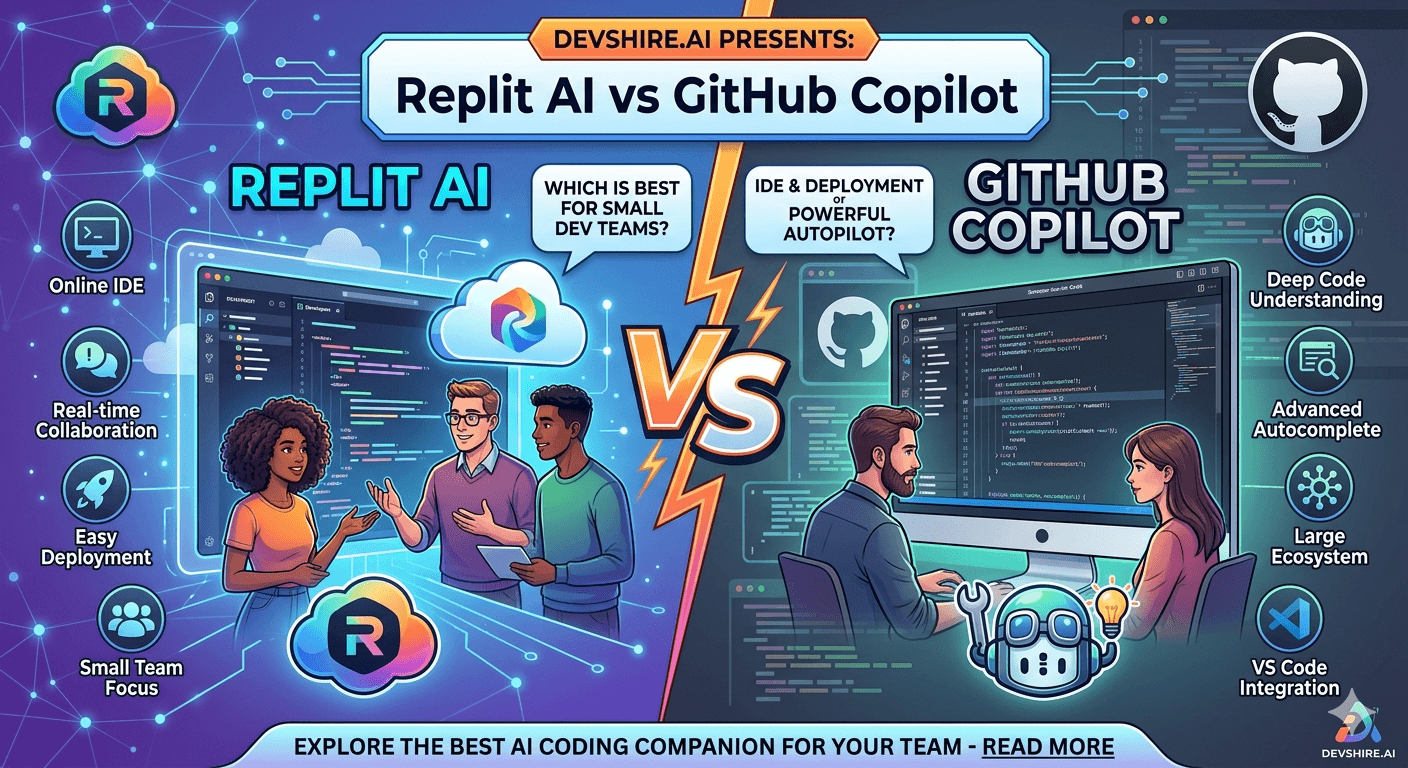
Small dev teams don't have time to evaluate twelve tools. You need the one that fits your workflow and gets out of the way. Replit AI and GitHub Copilot both claim to accelerate development — but they're optimised for very different things. Picking the wrong one for your team's setup is a genuine productivity hit. Here's the honest comparison.
💡 TL;DR
GitHub Copilot is the better choice for established small teams with an existing codebase, a local development setup, and developers who know their stack. Replit AI is the better choice for prototype-speed work, solo developers, or teams building in the browser without a local environment. They're optimised for different stages and workflows — not competing directly for the same use case.
What Each Tool Is Actually Built For
Replit AI is a browser-based coding environment with AI built in. You open a browser, start coding, and the AI assists you without any local setup. It's built for speed of starting, not depth of control. Replit Ghostwriter (its AI layer) is good at generating small applications quickly — but it's not designed for managing a complex, mature codebase.
GitHub Copilot is an AI autocomplete and chat layer that sits inside your existing IDE. It integrates with VS Code, JetBrains, Neovim — wherever your team already works. It's not a development environment. It's an AI layer on top of yours. That's the key difference.
⚠️ Common advice that's wrong
Most comparisons treat these as competing AI coding assistants. They're not the same category. Replit AI is a complete cloud IDE with AI features. Copilot is an AI layer for your local IDE. Comparing them on autocomplete quality misses the point — the real question is what development environment your team should be in.
Side-by-Side Comparison for Small Dev Teams
Factor | GitHub Copilot | Replit AI |
|---|---|---|
Best for | Teams with existing codebases, local dev setup | Prototyping, learning, browser-first work |
IDE requirement | Works in VS Code, JetBrains, Neovim, etc. | No local setup needed — browser only |
AI capability depth | Strong autocomplete + Copilot Chat | Good for generation, weaker for large codebases |
Codebase context | Indexes local repo for better completions | Limited to current Repl environment |
Pricing (team) | $19/user/month (Business) | $20/month (Core), team plans available |
Collaboration | Via standard Git workflows | Real-time multiplayer built in |
Deployment | External — your own hosting | Built-in hosting for Repls |
When Each Tool Actually Wins for a Small Team
Choose Copilot if your team has an existing codebase, uses Git, and works in a local development environment. Copilot integrates into that workflow without changing it. The AI assistance improves as it learns your codebase patterns. For a team of 2–5 developers actively building a SaaS product, Copilot is the straightforward choice.
Choose Replit AI if your team is pre-codebase: building a prototype, validating an idea, or doing a hackathon. The zero-setup, browser-based environment means you go from idea to running code in minutes. For a solo technical founder exploring an idea, or for a team doing a rapid 48-hour build, Replit's speed-of-start beats Copilot's depth-of-assistance.
The Bottom Line
GitHub Copilot and Replit AI are not direct competitors — they're optimised for different development stages and environment preferences.
Copilot is the better choice for small teams with an existing codebase and local development setup. It improves your workflow without replacing it.
Replit AI is the better choice for prototype-speed work, zero-setup development, or teams building in the browser. The built-in hosting and real-time multiplayer are genuine advantages.
For serious product development past the MVP stage, Copilot's codebase context and IDE integration give it a clear advantage over Replit's AI capabilities.
Neither is a substitute for Cursor AI if multi-file codebase editing is a priority — both are best thought of as lightweight AI layers rather than full AI-native editors.
Trusted by 500+ startups & agencies
"Hired in 2 hours. First sprint done in 3 days."
Michael L. · Marketing Director
"Way faster than any agency we've used."
Sophia M. · Content Strategist
"1 AI dev replaced our 3-person team cost."
Chris M. · Digital Marketing
Join 500+ teams building 3× faster with Devshire
1 AI-powered senior developer delivers the output of 3 traditional engineers — at 40% of the cost. Hire in under 24 hours.
Frequently Asked Questions
Is Replit AI or GitHub Copilot better for small development teams?
It depends on your stage. Copilot is better for teams with an existing codebase who want AI assistance in their current IDE. Replit AI is better for prototype-speed work, browser-first development, or zero-setup environments. They serve different workflows — the "better" one is whichever fits your current situation.
Can I use both Replit AI and GitHub Copilot at the same time?
Technically yes — but there's little reason to for most teams. Replit is a separate development environment, not an IDE plugin. If you're working in Replit, you use Replit AI. If you're in VS Code or a local IDE, you use Copilot. They don't overlap in the same environment.
How much does GitHub Copilot cost for a small team in 2026?
$19/user/month for Copilot Business, which includes the full team management features and policy controls. For a 3-person team that's $57/month. There's also a free individual tier for verified open source contributors and students. The Business plan is worth it for professional teams — the Individual plan at $10/month is fine for solo developers.
Is Replit AI good enough for production development?
For simple applications and internal tools, yes. For complex, mature codebases with deep integrations and strict performance requirements, Replit's environment limitations become real constraints. Most teams use Replit to prototype and validate, then migrate to a local setup with Copilot or Cursor once the build gets serious.
What's the main advantage of Replit AI over GitHub Copilot?
Zero local setup and built-in hosting. For a team that needs to go from idea to running demo in under an hour — without configuring environments, dependencies, or deployment — Replit is unmatched. That speed-of-start is genuinely valuable in the right context, even if Copilot's AI depth is greater.
Which tool is better for a non-technical founder building with AI?
Replit, clearly. The browser-based environment, visual interface, and built-in hosting mean a non-technical founder can build and deploy something without touching a terminal. GitHub Copilot requires an existing development environment and assumes you know how to code — it's an accelerator for developers, not an entry point for non-developers.







Devshire Team
San Francisco · Responds in <2 hours
Hire your first AI developer — this week
Book a free 30-minute call. We'll match you with the right developer for your project and get you started within 24 hours.
<24h
Time to hire
3×
Faster builds
40%
Cost saved