
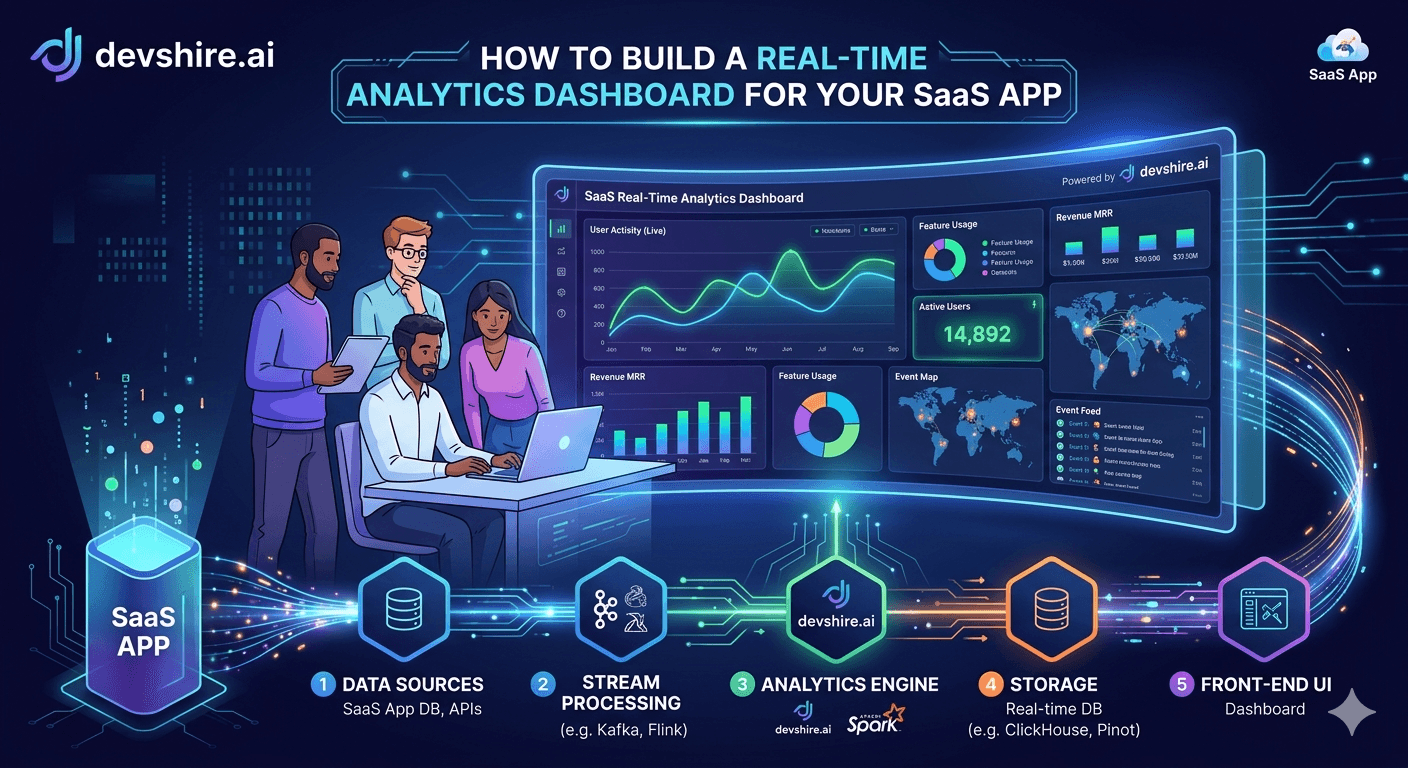
Most SaaS founders wait too long to build analytics. They launch, get their first users, and suddenly realise they can't answer basic questions — how many active sessions right now, where are users dropping off, which features are actually being used. The data exists somewhere in your database. But there's no interface that makes it visible. So decisions get made on gut feel, or on weekly exports someone dumps into a spreadsheet. Building a real-time analytics dashboard isn't a nice-to-have. It's the thing that separates teams who iterate fast from teams who guess fast. This guide covers the architecture, the tooling, and the specific decisions you'll need to make — from event tracking to live chart rendering — so you can build something that actually scales.
💡 TL;DR
A real-time analytics dashboard needs three layers: event collection (track what happens), a data pipeline (move and aggregate it fast), and a frontend that renders live. For most SaaS products at early to mid stage, the right stack is: PostHog or Segment for events, a time-series DB or warehouse for storage, and a WebSocket-connected React frontend with Recharts or Chart.js. Skip custom infrastructure until you hit scale. Build fast, iterate on what you actually need to see.
What "Real-Time" Actually Means for a SaaS Dashboard
Before you write a line of code, get precise about your real-time requirement. "Real-time" means different things depending on what you're building — and the wrong definition leads to over-engineered infrastructure you don't need.
Definition | Latency Target | Use Case | Typical Stack |
|---|---|---|---|
Live streaming | <1 second | Active user sessions, live event feeds | WebSockets + Redis pub/sub |
Near real-time | 5–30 seconds | Active users, recent signups, live revenue | Polling or SSE + aggregated cache |
Micro-batch | 1–5 minutes | Feature usage, conversion funnels | Background job + scheduled queries |
Batch | 15–60 minutes | Daily active users, cohort reports | Cron + data warehouse queries |
Most SaaS products need near real-time — not live streaming. If you're building a user dashboard that shows signups in the last hour and active sessions today, a 15-second polling interval is completely indistinguishable from true real-time to your users. And it's 10× easier to build.
⚠️ Where teams over-engineer this
Reaching for Kafka and ClickHouse before you've validated what data you actually need is a common mistake. Start with polling + Postgres. Migrate to a time-series database when query performance becomes a real problem — not an anticipated one.
Layer 1: Event Tracking — What to Capture and How
Your dashboard is only as good as your event data. If you track the wrong things — or nothing at all — no amount of frontend work saves it. Event tracking needs to be deliberate before it's comprehensive.
🎯 Start with business-critical events only
Don't track everything. Track the 8–12 events that map directly to your funnel: user_signed_up, trial_started, feature_activated, subscription_converted, plan_upgraded, churn_initiated. Everything else is noise until you have a reason to add it.
📦 Use a consistent event schema
Every event should have: event_name, user_id, org_id (if multi-tenant), timestamp (UTC), and a properties object for context. Inconsistent schemas destroy your ability to query across events. Define it once. Enforce it in code.
🛠️ Choose your collection layer
For most early-stage products: PostHog (self-hostable, open source) or Segment (managed). Both give you client and server-side SDKs, event validation, and a destination layer. Don't build a custom event ingestion pipeline until you've outgrown these.
One rule that saves hours of debugging: always track events server-side for anything that matters financially or for compliance. Client-side tracking gets blocked by ad blockers. Subscription events, plan changes, and payment completions should always originate from your backend.
Layer 2: The Data Pipeline — Moving and Aggregating Events
Raw events need to be queryable. The pipeline between event collection and your dashboard queries is where architecture decisions have long-term cost implications. Here's how to think through it at each stage of scale.
Scale | Events/Day | Recommended Storage | Query Approach |
|---|---|---|---|
Early stage | <100K | Postgres (events table + materialised views) | Direct SQL queries with indexes on timestamp + user_id |
Growth | 100K–5M | TimescaleDB or ClickHouse | Time-bucketed aggregations, continuous aggregates |
Scale | >5M | ClickHouse + Kafka or Redshift + Firehose | Pre-aggregated tables, streaming windows |
The migration from Postgres to a dedicated analytics store is something most teams hit at the growth stage. The good news: if you've kept your event schema clean and consistent, migration is a data movement problem — not a redesign problem.
⚡ Pre-aggregate for dashboard queries
Don't run COUNT(*) across 10 million rows on every dashboard load. Use Postgres materialised views or ClickHouse continuous aggregates to pre-compute common metrics (daily active users, signups by day, MRR) on a refresh schedule. Dashboard queries should hit summary tables, not raw events.
🔄 Use a background job for aggregation
A simple cron job running every 60 seconds that re-computes your key metrics and writes them to a metrics cache (Redis or a summary table) is enough for most SaaS dashboards. No streaming infrastructure required at early stage.
Layer 3: The Frontend — Live Charts and WebSocket Updates
The frontend layer connects your aggregated data to what your users see. For real-time dashboards, you have three delivery options: polling, Server-Sent Events (SSE), or WebSockets. Each has different complexity and latency trade-offs.
Method | Latency | Complexity | Best For |
|---|---|---|---|
HTTP Polling | ~10–30s | Low | Most SaaS dashboards — simple, reliable, easy to cache |
Server-Sent Events (SSE) | ~1–5s | Medium | Live feeds, activity streams, low-frequency updates |
WebSockets | <1s | High | Truly live dashboards, collaborative tools, gaming |
📊 Charting library: Recharts vs Chart.js vs Tremor
For React: Recharts is the default choice — composable, well-documented, handles time-series cleanly. Chart.js is more flexible but requires more wiring. Tremor gives you pre-styled dashboard components if you want to move fast. Don't build custom SVG charts — it's weeks of work for marginal gain.
🔁 Implement optimistic updates for perceived speed
When a user performs an action in your app, update the dashboard counter immediately — before the server confirms. If the server returns a different value, reconcile. This makes a 15-second polling dashboard feel instant for most interactions.
🗂️ Cache at the API layer
Your dashboard API endpoints should return pre-computed metrics from your summary cache, not run live queries. Set short TTLs (30–60 seconds) and refresh the cache in the background. Never let a dashboard page load trigger a full-table aggregate query.
Trusted by 500+ startups & agencies
"Hired in 2 hours. First sprint done in 3 days."
Michael L. · Marketing Director
"Way faster than any agency we've used."
Sophia M. · Content Strategist
"1 AI dev replaced our 3-person team cost."
Chris M. · Digital Marketing
Join 500+ teams building 3× faster with Devshire
1 AI-powered senior developer delivers the output of 3 traditional engineers — at 40% of the cost. Hire in under 24 hours.
What Metrics to Show on a SaaS Analytics Dashboard
Before you design the UI, decide what metrics actually matter. Dashboard clutter is a real problem — showing 40 numbers doesn't make decisions easier. Group metrics by time horizon and business function.
📅 Live / today metrics (top of dashboard)
Active sessions right now, signups today, MRR delta today, errors in the last hour. These answer: is the product working and growing right now? Keep this section small — 4–6 numbers maximum.
📈 Trend metrics (7-day and 30-day charts)
DAU/WAU/MAU, new MRR, churn, feature adoption rate, trial conversion rate. These answer: is the product trending in the right direction? Use line charts with a comparison period (this week vs last week).
🔍 Funnel metrics (conversion by stage)
Visitor → signup → activation → paid conversion → retention. These answer: where are users dropping off? Use a funnel chart or a simple waterfall table. Update weekly, not in real-time.
📌 The one-metric-per-decision rule
Every metric on your dashboard should answer a specific question and drive a specific type of decision. If you can't articulate what decision a metric informs, cut it. Dashboards that try to show everything end up showing nothing useful.
Multi-Tenant Considerations: Per-Customer Analytics
If you're building a B2B SaaS, your customers will want their own analytics view — not just your internal product metrics. This changes the architecture meaningfully.
🏢 Scope all queries by org_id
Every event, every aggregate, every query must be scoped to the organisation. Never let an analytics query return cross-tenant data. Add org_id to every event at the point of collection and enforce it at the query layer — not just in the frontend.
📊 Per-tenant pre-aggregation
If you have hundreds of customers, running per-org aggregations on demand is expensive. Pre-compute per-org daily summaries in a background job and store them in a tenant_metrics table. Dashboard queries then hit that table, filtered by org_id.
🔐 Row-level security on analytics tables
Use Postgres row-level security (RLS) or equivalent to enforce org-scoping at the database layer — not just in application code. Application-level filtering is a defence-in-depth measure, not a substitute for database-level access controls.
Ready-to-Use Tooling vs Custom Build: When to Choose Each
You don't have to build everything from scratch. The decision between buying analytics tooling and building it custom depends on where analytics sits in your product differentiation.
Option | Build Time | Cost | Right When |
|---|---|---|---|
PostHog (self-hosted) | 1–2 days setup | Free / infra cost | Internal analytics, early stage, needs product + session data |
Metabase | 1 day setup | Free / $500/mo | Internal BI dashboards, non-technical stakeholders |
Grafana + TimescaleDB | 3–5 days | Open source | Infrastructure + product metrics combined, engineering-facing |
Custom React dashboard | 2–6 weeks | Dev time | Customer-facing analytics embedded in your product, differentiation |
The rule: if the analytics dashboard is something your customers see as part of your product, build it custom. If it's internal tooling for your team, use an existing tool. The custom build is only worth the investment when it's a product feature — not when it's infrastructure for your own decisions.
Performance: Keeping Your Dashboard Fast at Scale
Dashboard performance degrades predictably. Here's the failure pattern: you start with raw SQL queries, it works fine at 10K users, and then at 500K users every dashboard load takes 8 seconds and your database CPU spikes. These are the specific fixes that prevent that.
🗄️ Index your events table correctly
Composite index on (org_id, event_name, created_at DESC). This covers the three most common analytics query patterns. Without this, time-range queries on large event tables do full sequential scans.
⏱️ Partition your events table by time
Postgres table partitioning by month means queries scoped to a time range only scan the relevant partition. This is the single biggest performance win for time-series data in Postgres. Implement it before you need it — retrofitting partitioning to a large table is painful.
💾 Cache aggressively, invalidate carefully
Use Redis to cache dashboard metric results with a 60-second TTL. Refresh in the background on a schedule. For metrics that don't need to be live (monthly reports, cohort analysis), cache for 15–60 minutes. Only expire caches on explicit data changes, not on page load.
The Bottom Line
Most SaaS dashboards don't need true real-time — near real-time (15–30 second polling) is indistinguishable to users and 10× easier to build.
Start with Postgres, materialised views, and HTTP polling. Migrate to ClickHouse or TimescaleDB when query performance becomes a real problem.
Track business-critical events only (8–12 max) with a consistent schema: event_name, user_id, org_id, timestamp, properties. Schema discipline upfront saves weeks of migration pain later.
Pre-aggregate metrics in background jobs. Dashboard queries should never touch raw event tables directly.
For B2B SaaS: scope every query by org_id and enforce it at the database layer with row-level security — not just in application code.
Build a custom dashboard only when it's a customer-facing product feature. Use PostHog, Metabase, or Grafana for internal analytics — don't reinvent it.
Index on (org_id, event_name, created_at DESC) and partition by time before you hit scale. Retrofitting is expensive.
Frequently Asked Questions
What's the best tech stack for a real-time SaaS analytics dashboard?
At early stage: Postgres (events) + Redis (cache) + React + Recharts on the frontend, with HTTP polling every 15–30 seconds. At growth stage: migrate the events store to TimescaleDB or ClickHouse. Add WebSockets only if you genuinely need sub-second latency — most SaaS products don't.
Should I use PostHog, Mixpanel, or build my own event tracking?
Start with PostHog (self-hostable, open source) or Segment (managed). Build custom event collection only if your event volume or compliance requirements make third-party tools impractical. Custom infrastructure adds 4–8 weeks of dev time and ongoing maintenance cost — rarely worth it at early stage.
How do I make my analytics dashboard fast without over-engineering it?
Three things: pre-aggregate metrics in a background job (don't query raw events on page load), cache results in Redis with short TTLs, and add a composite index on (org_id, event_name, created_at DESC). These three changes handle 95% of dashboard performance problems in Postgres.
When should I switch from Postgres to ClickHouse for analytics?
When your events table exceeds 50–100 million rows and dashboard query times start degrading despite good indexing and pre-aggregation. ClickHouse is optimised for analytical queries at that scale. Before that threshold, Postgres with TimescaleDB or partitioning is almost always sufficient.
How do I build per-customer analytics for a B2B SaaS?
Scope every event and every query by org_id. Pre-compute per-org daily summaries in a background job. Use Postgres row-level security to enforce tenant isolation at the database level. Build a customer-facing dashboard component that receives org_id from the authenticated session and never trusts user-supplied org values.
Need a Developer Who Can Build This?
devshire.ai matches you with pre-vetted AI developers who've built real-time analytics pipelines, data dashboards, and event tracking systems — and can start in days, not weeks.
Find Your Developer at devshire.ai →
No upfront cost · Shortlist in 48–72 hrs · Freelance & full-time · Stack-matched candidates
About devshire.ai — devshire.ai matches AI-powered engineering talent with product teams. Every developer in the network has passed a live AI proficiency screen covering tool use, output validation, and codebase review. Freelance and full-time options. Typical time-to-hire: 8–12 days. Start hiring →
Related reading: Supabase vs Firebase: Which Backend Is Better for Startups in 2026? · PostgreSQL vs MongoDB in 2026: Which Database Fits Your Startup? · How to Set Up a Data Pipeline From Scratch Using Python + Airflow · How AI Developers Use SQL + Python to Automate Business Reporting · API Security Best Practices: What Every SaaS Developer Should Know







Devshire Team
San Francisco · Responds in <2 hours
Hire your first AI developer — this week
Book a free 30-minute call. We'll match you with the right developer for your project and get you started within 24 hours.
<24h
Time to hire
3×
Faster builds
40%
Cost saved