
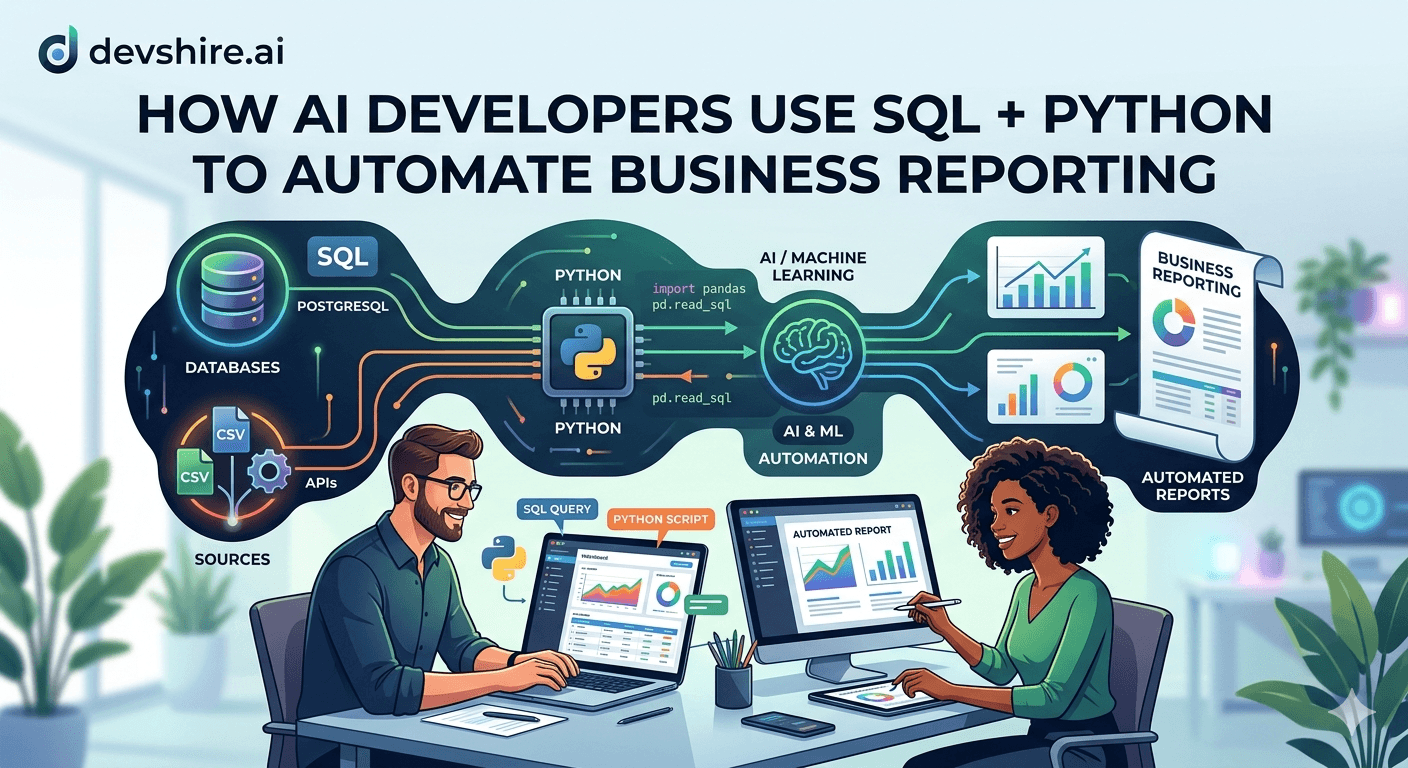
Every fast-growing company hits the same wall: the business needs more reports, the data team is at capacity, and the reports that do exist are manually refreshed by someone who shouldn't be spending their time on this. The finance lead runs a SQL query, pastes it into Excel, formats it manually, and emails a PDF. Every week. That process is a tax on capable people — and it's entirely automatable. AI developers in 2026 use SQL and Python together to build reporting pipelines that run on schedule, pull fresh data, apply business logic, format the output, and deliver it wherever it needs to go — without a human in the loop. This guide covers the full pattern: from writing the queries to scheduling the delivery, with the specific AI tooling that makes it dramatically faster to build.
💡 TL;DR
The automated reporting stack: SQL queries pull raw data → pandas transforms and formats it → a scheduled Python script runs on cron or Airflow → output delivered via email (SMTP), Slack webhook, or saved to S3/Google Drive. AI tools (Claude, Copilot) accelerate query writing, pandas transformation logic, and edge case handling. The whole pipeline for a weekly metrics report takes 2–4 hours to build the first time. Then it runs forever. The ROI on the first hour of automation pays for itself within weeks.
What's Worth Automating vs What Isn't
Not every report is worth automating. The automation candidates share specific characteristics — get this filter right before you start building.
Report Type | Automate? | Why |
|---|---|---|
Weekly metrics (MRR, DAU, churn) | Yes | Same query every week, no manual judgement required |
Daily operational dashboards | Yes | High frequency, consistent format, time-sensitive |
End-of-month financial summaries | Yes | Predictable schedule, clear data sources, same format |
Ad hoc analysis for a one-time decision | No | Won't recur — build manually, don't invest in automation |
Investor or board reports with narrative | Partial | Automate the data section; the narrative still needs a human |
Compliance or audit reports | Yes | Recurring, exact format, high manual cost if not automated |
The signal for a strong automation candidate: you've run the same report more than three times and each run required the same steps. That's a pipeline waiting to be built.
The SQL Layer: Writing Queries Built for Automation
Automated reports need queries that are robust — they run on a schedule without human review, so edge cases that a person would catch manually will silently produce wrong numbers if you don't handle them in SQL.
📅 Use dynamic date ranges, not hardcoded dates
A query with WHERE created_at >= '2026-04-01' breaks the moment you forget to update it. Use CURRENT_DATE - INTERVAL '7 days' for rolling windows. For monthly reports, use DATE_TRUNC('month', CURRENT_DATE - INTERVAL '1 month') to get the start of last month. Your query should never need editing when it runs next week.
🛡️ Handle NULLs explicitly
Automated reports with NULL values produce broken calculations (a SUM that should be 0 returns NULL, an average that should be 12.5 returns NULL). Use COALESCE(column, 0) on numeric columns in aggregations. For string columns, COALESCE(column, 'Unknown') prevents NULL cells in the output.
📊 Write comparison periods into the query
The most useful business reports show this period vs last period. Use conditional aggregation: SUM(CASE WHEN period = 'current' THEN value ELSE 0 END) AS current_period, SUM(CASE WHEN period = 'previous' THEN value ELSE 0 END) AS previous_period. This is cleaner than running two separate queries and joining in Python.
🤖 Use AI to write and debug queries faster
In 2026, AI tools (Claude, Copilot, Cursor) write production-quality SQL reliably for common reporting patterns. Describe what you want in plain English — "show me daily signups for the last 30 days with a 7-day rolling average" — and iterate on the output. AI is especially useful for window functions and CTEs that have correct logic but subtle syntax errors.
The Python Layer: Transforming and Formatting with pandas
SQL gets you the data. Python shapes it into something that looks like a report. The pattern is consistent across most use cases.
🔗 Connect to your database with SQLAlchemy
Use SQLAlchemy + pandas' read_sql() to run your query and get a DataFrame in one call: df = pd.read_sql(query, engine). Store your connection string in environment variables — never in the script. Use python-dotenv to load .env files locally and environment variables in production.
📐 Format numbers and dates in pandas before output
Raw database numbers (1234567.89) don't belong in a business report. Apply formatting in pandas: df['revenue'] = df['revenue'].map('${:,.2f}'.format). Format dates as readable strings: df['date'] = pd.to_datetime(df['date']).dt.strftime('%b %d, %Y'). Do this before writing to Excel or generating HTML — not after.
📈 Add calculated columns in Python
Percentage changes, growth rates, and rankings are often easier to compute in pandas than in SQL. df['wow_growth'] = (df['current_week'] - df['last_week']) / df['last_week'] * 100. Round results: df['wow_growth'] = df['wow_growth'].round(1). This keeps your SQL clean and readable while handling derived metrics in Python.
📄 Output to Excel with openpyxl for formatted reports
pandas' to_excel() with an ExcelWriter gives you formatted worksheets. Use openpyxl directly for column width auto-fit, conditional formatting, and header styling. For most internal business reports, a well-formatted Excel file is more useful than a PDF — it's filterable and exportable.
How AI Developers Use LLMs to Build Reporting Pipelines Faster
The 2026 pattern for AI-assisted reporting development is specific. Here's where AI tools add the most leverage.
Task | Without AI | With AI (Claude / Copilot) |
|---|---|---|
Write a complex window function query | 20–40 min (docs + debugging) | 3–5 min (describe, iterate, validate) |
pandas formatting boilerplate | 10–15 min | 2 min |
Email template HTML | 30 min | 5 min |
Error handling edge cases | Found in production | Caught in review — AI suggests common failure modes |
Scheduling + cron expression | 5 min (lookup) | Instant |
The highest-leverage use of AI in reporting pipelines is edge case detection. When you paste your pandas transformation code into Claude and ask "what edge cases could break this in production?", it consistently surfaces: empty DataFrames causing division by zero, date range queries that return no data on weekends, column name mismatches after database schema changes. These would surface as 2am bugs otherwise.
📌 The AI review prompt that catches most reporting bugs
After writing your pipeline, prompt: "Review this Python reporting script for edge cases. Specifically check: what happens if the SQL query returns 0 rows, if a numeric column is entirely NULL, or if the date range spans a month boundary. Suggest defensive code for each." Run this before deploying any automated report.
Trusted by 500+ startups & agencies
"Hired in 2 hours. First sprint done in 3 days."
Michael L. · Marketing Director
"Way faster than any agency we've used."
Sophia M. · Content Strategist
"1 AI dev replaced our 3-person team cost."
Chris M. · Digital Marketing
Join 500+ teams building 3× faster with Devshire
1 AI-powered senior developer delivers the output of 3 traditional engineers — at 40% of the cost. Hire in under 24 hours.
Delivery: Getting Reports to the Right Place Automatically
The report is only automated if delivery is automated. Here are the three most common delivery patterns with the implementation approach for each.
📧 Email delivery with SMTP or SendGrid
Use Python's smtplib (for SMTP) or the sendgrid library for email delivery. Attach the Excel or PDF output as a file. For HTML email reports, render your pandas table as HTML with df.to_html() and embed it in the email body. Use an HTML template with inline CSS — most email clients ignore external stylesheets. SendGrid's API is more reliable at scale than raw SMTP.
💬 Slack webhook for team metrics
For operational metrics that the team needs to see daily (signups, MRR, error rates), a Slack message is more visible than email. Use a Slack Incoming Webhook URL. POST a JSON payload with your key metrics formatted as a Slack Block Kit message. Charts can be uploaded to Slack via the files.upload API. This is the standard pattern for engineering and product team daily metrics.
☁️ S3 or Google Drive for file-based delivery
For reports that stakeholders access on demand (rather than at a fixed time), upload to S3 (boto3) or Google Drive (google-api-python-client). Use a predictable naming convention: reports/weekly-metrics-2026-04-14.xlsx. Set up a shared folder or S3 bucket policy so stakeholders access directly — no manual email attachment required.
Scheduling: Running the Pipeline Reliably
An automated report that sometimes fails silently is worse than a manual one — people rely on it arriving and don't know to question it when the data is stale. Here's how to schedule reliably.
Scheduling Method | Complexity | Best For |
|---|---|---|
Cron (Linux / macOS) | Low | Simple scripts on a server — 1-2 reports, low failure risk |
GitHub Actions (scheduled) | Low–Medium | Reports that don't need a persistent server — runs in CI |
Apache Airflow | High | Multiple pipelines with dependencies, retries, and monitoring |
Prefect Cloud | Medium | Multi-step pipelines with retries, without self-hosting Airflow |
AWS EventBridge + Lambda | Medium | AWS-native teams, serverless execution, low operational overhead |
For most teams starting out: GitHub Actions scheduled workflows are the fastest path to reliable automated delivery without managing infrastructure. Create a workflow YAML that runs on a cron schedule, installs dependencies, runs your Python script, and uses GitHub Secrets for credentials. No server to maintain, built-in logging, and failure notifications via GitHub.
Making It Production-Safe: Error Handling and Monitoring
🛡️ Wrap the entire pipeline in a try/except
If your report fails silently, stakeholders receive nothing and assume the data is delayed — not broken. Wrap the pipeline in try/except and send a failure notification (Slack or email) in the except block. Include the exception message. Someone needs to know immediately when a scheduled report fails, not discover it hours later.
📊 Validate output before delivery
Before sending, check that the DataFrame has the expected number of rows (more than 0), that key columns are not entirely NULL, and that numeric values are in a sensible range. A daily revenue report that shows $0 because a query silently failed is worse than no report. Add assertions: assert len(df) > 0, "Query returned empty results".
📝 Log each run with timestamp and row counts
Write a simple run log to a table in your database or a log file: pipeline_name, run_timestamp, rows_processed, status (success/failure), error_message. When a stakeholder says "the numbers look off this week", you can check whether the pipeline ran successfully and how many rows it processed.
A Complete Example: Weekly SaaS Metrics Report
Here's the end-to-end pipeline structure for a weekly SaaS metrics email — the pattern that covers most business reporting needs.
1️⃣ SQL query: pull weekly MRR, signups, churn, and DAU with WoW comparison
One query using conditional aggregation for current week vs last week. Dynamic date range using CURRENT_DATE. COALESCE for NULL protection. Output: one row per metric with current_value, prior_value, and pct_change columns.
2️⃣ Python: connect, query, format, validate
SQLAlchemy + read_sql() → DataFrame. Format currencies with ${:,.0f}, percentages with {:.1f}%, dates as Mon DD. Add a colour column (green/red) based on whether WoW change is positive. Assert len(df) > 0. Assert no NULL in revenue column.
3️⃣ HTML email: render table with inline CSS
Use Jinja2 to render the DataFrame into an HTML email template. Inline CSS for table styling (no external stylesheets). Include the week range in the subject line: "Weekly Metrics — April 7–14, 2026". Attach Excel file as backup for stakeholders who want raw data.
4️⃣ Schedule: GitHub Actions every Monday at 7am UTC
YAML workflow: schedule: cron: '0 7 * * 1'. Runs on ubuntu-latest. Steps: checkout, pip install -r requirements.txt, python weekly_report.py. Credentials from GitHub Secrets. Failure notification via Slack webhook in the on-failure step.
The Bottom Line
Automate reports that run on a fixed schedule with the same query every time. Skip automation for one-off analyses — the setup cost exceeds the benefit.
Write SQL queries with dynamic date ranges (CURRENT_DATE - INTERVAL), COALESCE for NULL protection, and comparison periods built in. Never hardcode dates in automated queries.
Use SQLAlchemy + pandas read_sql() to pull data, format in pandas before output, and deliver via SMTP/SendGrid, Slack webhooks, or cloud storage.
AI tools (Claude, Copilot) write SQL window functions, pandas boilerplate, and HTML email templates in minutes. The highest-value AI use: asking for edge case review before deploying.
Wrap the entire pipeline in try/except with failure notifications. A silent failure is worse than a visible one — stakeholders need to know immediately when a report doesn't run.
Validate output before delivery: assert the DataFrame is non-empty, key columns are non-NULL, and values are in sensible ranges.
Start with GitHub Actions for scheduling — zero infrastructure, built-in secrets management, and failure notifications. Migrate to Airflow or Prefect when pipeline complexity grows.
Frequently Asked Questions
What's the best way to automate business reports with Python?
The standard stack: SQL queries to pull data from your database, pandas to transform and format it, and a delivery layer (SMTP email, Slack webhook, or cloud storage). Schedule with GitHub Actions (simple) or Airflow (complex multi-step pipelines). Use environment variables for credentials and wrap everything in try/except with failure alerts.
How do AI developers use SQL and Python together for reporting?
AI tools (Claude, Copilot, Cursor) accelerate query writing (especially CTEs, window functions, and complex aggregations), pandas formatting boilerplate, and HTML email templates. The most impactful use: asking AI to review your pipeline for edge cases before production deployment — it consistently catches empty-result handling, NULL aggregation bugs, and date range edge cases.
How do I send automated reports via email in Python?
Use smtplib for simple SMTP or the sendgrid library for reliable delivery at scale. Render your pandas DataFrame as HTML with df.to_html() and embed it in the email body using a Jinja2 template with inline CSS. Attach the Excel file using MIMEBase for stakeholders who want raw data access.
How do I handle errors in automated reporting pipelines?
Wrap the full pipeline in try/except. In the except block, send a Slack or email notification with the error message and timestamp. Before delivery, validate the output: assert the DataFrame is non-empty, key numeric columns have non-NULL values, and figures are in expected ranges. Log every run (success and failure) to a database table for audit and debugging.
Should I use Airflow or cron for scheduling automated reports?
Start with GitHub Actions scheduled workflows or cron if your reports are simple (1–3 scripts, no dependencies). Use Airflow or Prefect when you have multiple pipelines with dependencies, need retry logic, and want a monitoring UI. The operational overhead of Airflow isn't justified for simple single-script reports.
Need an AI Developer to Build Your Reporting Pipeline?
devshire.ai matches you with pre-vetted AI developers experienced in SQL, Python, pandas, and automated data pipelines — ready to start in days, not weeks.
Find Your Developer at devshire.ai →
No upfront cost · Shortlist in 48–72 hrs · Freelance & full-time · Stack-matched candidates
About devshire.ai — devshire.ai matches AI-powered engineering talent with product teams. Every developer in the network has passed a live AI proficiency screen covering tool use, output validation, and codebase review. Freelance and full-time options. Typical time-to-hire: 8–12 days. Start hiring →
Related reading: How to Set Up a Data Pipeline From Scratch Using Python + Airflow · How to Build a Real-Time Analytics Dashboard for Your SaaS App · PostgreSQL vs MongoDB in 2026: Which Database Fits Your Startup? · Supabase vs Firebase: Which Backend Is Better for Startups in 2026? · How to Do a Security Audit on Your SaaS App Before Launch







Devshire Team
San Francisco · Responds in <2 hours
Hire your first AI developer — this week
Book a free 30-minute call. We'll match you with the right developer for your project and get you started within 24 hours.
<24h
Time to hire
3×
Faster builds
40%
Cost saved