
The launch date is set. The product looks good. The team is ready. And nobody has done a security audit. This is how most SaaS launches actually work — security is the thing that was going to be handled after the first milestone and quietly slipped off the roadmap. Then a customer asks for a penetration test report. Or someone submits a bug bounty report the day after launch. Or an early user discovers they can read another account's data by changing an ID in the URL. None of these scenarios are uncommon. All of them are preventable. A pre-launch security audit doesn't require a $20,000 external engagement. It requires a structured checklist, the right tooling, and about two days of focused work. Here's exactly how to do it.
💡 TL;DR
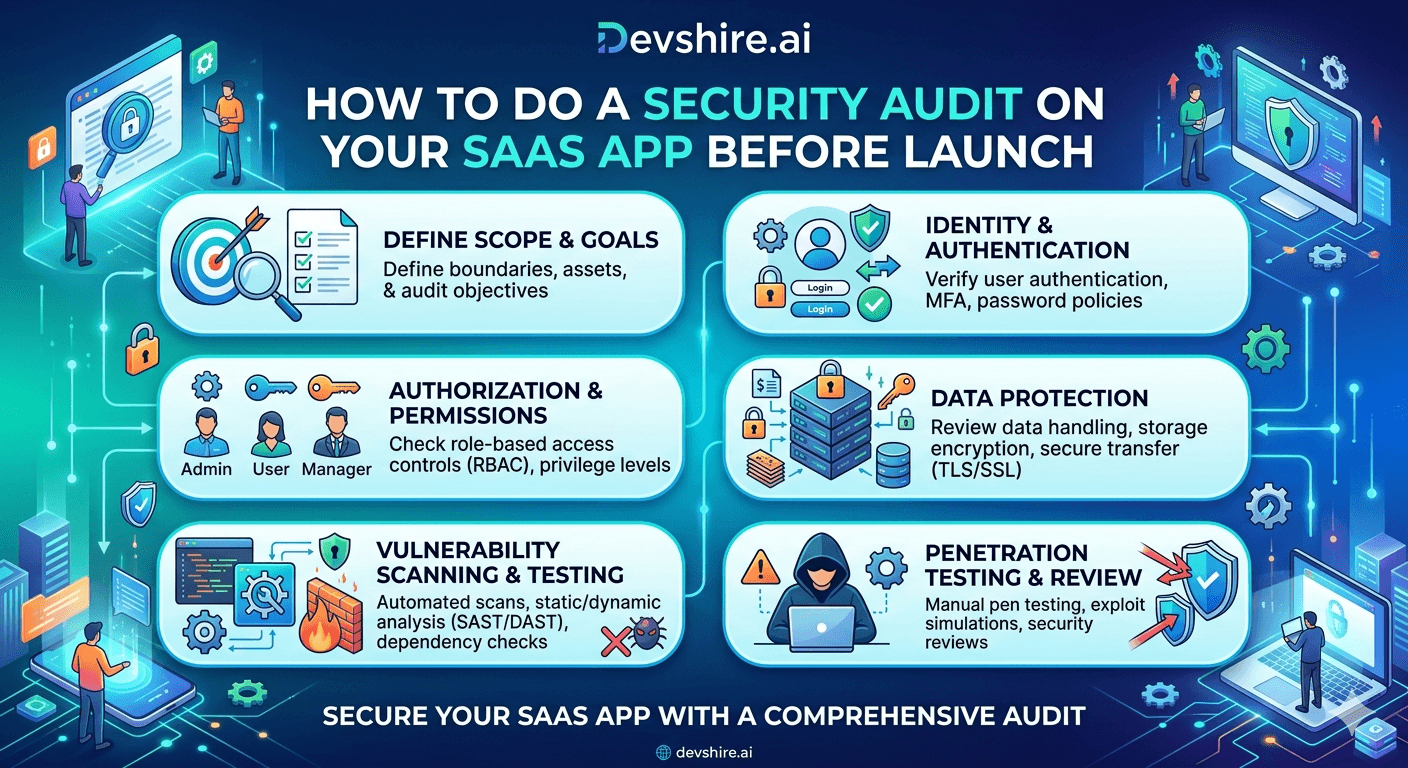
A pre-launch security audit for a SaaS app covers five areas: authentication and session management, access control and authorisation, data handling and encryption, dependency vulnerabilities, and infrastructure configuration. The whole audit takes 1–2 days with the right tooling. Critical gaps found before launch cost an afternoon to fix. The same gaps found after launch cost a week of incident response and significant customer trust. Run the audit before you flip the switch — not after.
What a Pre-Launch Security Audit Actually Covers
There's a version of a security audit that's a 150-page report delivered by a consultancy after eight weeks of work. That's not what most early-stage SaaS teams need before launch. What you need is a structured self-assessment that systematically checks the five areas most likely to contain critical vulnerabilities in a newly-built SaaS app.
These five areas account for the vast majority of real-world SaaS security incidents. They're also the areas where AI-generated code, tight timelines, and small teams create the most gaps. A senior developer familiar with security can run this audit in a day and a half. A developer who isn't familiar with these specific checks will struggle to do it at all — which is when you bring in external help.
Audit Area | Estimated Time | Primary Risk If Skipped |
|---|---|---|
Authentication & Session Management | 3–4 hours | Account takeover, credential stuffing |
Access Control & Authorisation | 3–4 hours | Data leakage between accounts, privilege escalation |
Data Handling & Encryption | 2–3 hours | Data breach, GDPR fines, credential exposure |
Dependency Vulnerabilities | 1–2 hours | Known CVE exploitation, supply chain attack |
Infrastructure Configuration | 2–3 hours | Public data exposure, cloud account compromise |
Area 1 — Authentication and Session Management
Authentication is the front door. If it's broken, everything else you built is irrelevant. Start here. Work through these checks systematically before moving to the next area.
🔐 Password storage and hashing
Confirm passwords are hashed with bcrypt or Argon2id — not MD5, SHA1, or SHA256. A cost factor of 12 or higher for bcrypt. Run a search across your codebase for any instance of md5(), sha1(), or plain crypto.createHash() applied to password values. If you find any, that's a critical finding that blocks launch.
⏱️ Password reset token security
Password reset tokens must be: cryptographically random (crypto.randomBytes(32) minimum), single-use (invalidated immediately after use), and short-lived (expire after 15–30 minutes). Test this manually: request a reset, use the token, then try to use the same token again. It should fail. Request another reset and wait 31 minutes, then try to use it. It should also fail.
🚦 Rate limiting on auth endpoints
Every login endpoint, password reset endpoint, and OTP verification endpoint needs rate limiting. Test it: send 20 consecutive failed login requests and verify that the 11th or 12th returns a 429 or locks the action. If all 20 succeed without any throttling, you have no brute force protection. A simple implementation: 10 attempts per IP per 15 minutes. Tools like express-rate-limit handle this in under an hour.
🍪 Session token storage and flags
If you're using cookies for session or JWT storage: verify the httpOnly flag is set (no JavaScript access), the Secure flag is set (HTTPS only), and SameSite is set to Strict or Lax. Open your browser dev tools and check the application cookies tab right now. If you see a session token without httpOnly, it's readable by any JavaScript on the page — including injected scripts.
Area 2 — Access Control and Authorisation
This is the most common source of serious vulnerabilities in SaaS applications. Broken access control lets one user read or modify another user's data. It's been the #1 OWASP category for two consecutive cycles. And it's the one most likely to show up in a newly-launched app because it's invisible during development — all your test accounts are your own accounts, so you never hit the boundary.
The test here is simple but you have to actually do it. Create two separate user accounts in your app. Log in as User A. Note the IDs of resources that belong to User A. Log out. Log in as User B. Manually change the resource IDs in API requests to those belonging to User A. If you can read or modify User A's data as User B, you have a broken access control vulnerability. Do this for every resource type in your app: profiles, documents, settings, billing data, team members.
⚠️ This test catches what code review misses
Most access control bugs aren't visible in code review unless you're specifically looking for the missing authorisation check. They look like a database query that returns a record by ID without checking whether the requesting user owns that record. The two-account test catches it in 10 minutes. Run it before every major release, not just at launch.
Area 3 — Data Handling and Encryption
Walk through every place your app stores data and verify that sensitive data is appropriately protected. This is less about running tools and more about systematically reviewing your data model against a checklist.
🔒 Encryption at rest
Your database volume should be encrypted. Your S3 buckets (or equivalent object storage) should have server-side encryption enabled. These are usually toggles in your cloud provider console — check them now. AWS RDS encryption, S3 default encryption, EBS volume encryption. If any of these are off, turn them on before launch. This is also a SOC 2 evidence requirement if you pursue certification later.
🌐 TLS everywhere — no HTTP fallback
Test your domain with SSL Labs (ssllabs.com/ssltest/). Aim for an A or A+ rating. Verify that HTTP requests redirect to HTTPS — not just accept HTTPS but actually enforce it. Check your HSTS header is set with a long max-age (at least 31536000 seconds — one year). If you're getting anything below a B on SSL Labs, fix it before launch.
🗝️ Secrets and credentials management
Run git log -p | grep -i 'secret\|api_key\|password\|token' to check for any credentials accidentally committed to your git history. If you find any, the secret is compromised — rotate it immediately, even if the repository is private. Store all secrets in a secrets manager (AWS Secrets Manager, HashiCorp Vault) and inject them at runtime. No secrets in .env files committed to git.
Trusted by 500+ startups & agencies
"Hired in 2 hours. First sprint done in 3 days."
Michael L. · Marketing Director
"Way faster than any agency we've used."
Sophia M. · Content Strategist
"1 AI dev replaced our 3-person team cost."
Chris M. · Digital Marketing
Join 500+ teams building 3× faster with Devshire
1 AI-powered senior developer delivers the output of 3 traditional engineers — at 40% of the cost. Hire in under 24 hours.
Areas 4 and 5 — Dependencies and Infrastructure
Dependency scanning is the fastest area to audit — run one command and you have a list of known vulnerabilities in your package tree. Run npm audit --audit-level=high right now. If you have high or critical findings, don't launch until they're patched. Medium findings need a remediation plan within 30 days.
Infrastructure configuration is where small teams get caught most often. The most common issues: S3 buckets with public access not explicitly blocked, security groups with 0.0.0.0/0 inbound rules that aren't necessary, RDS instances accessible from the public internet, and CloudWatch logs not enabled on critical resources. Run AWS Security Hub or Prowler against your cloud environment before launch. Both generate a report of misconfiguration findings sorted by severity. Fix the critical and high findings before you go live.
📌 One infrastructure check that catches most critical issues
Go to your cloud provider's console and list every resource that has a public-facing endpoint or public read access: S3 buckets, RDS instances, EC2 security groups, API Gateway stages. For each one, ask: does this actually need to be public? If not, restrict it. Most teams find at least one resource that's accidentally public during this exercise.
After the Audit — Prioritising What You Fix Before Launch
You're going to find things. Don't panic. Not everything is a launch blocker. Here's how to triage what you fix immediately versus what goes on the post-launch backlog.
Fix before launch: any authentication bypass or session fixation vulnerability, any broken access control that allows cross-account data access, any exposed credentials in git history (rotate immediately and fix the exposure), any critical CVEs in production dependencies, any public cloud resources that shouldn't be public, and any HTTP without HTTPS enforcement.
Fix within 30 days of launch: medium CVEs in dependencies, missing rate limiting on non-auth endpoints, any medium SSL Labs findings, incomplete audit logging. These are important — but they're not acute risks that block you from launching to a limited set of initial users.
Don't delay launch for: low CVEs in dev dependencies, minor hardening improvements, optional security headers that aren't CORS or CSP, cosmetic issues in error messages that don't expose sensitive data. These go on the backlog.
The Bottom Line
A pre-launch security audit covers five areas: authentication and session management, access control and authorisation, data handling and encryption, dependency vulnerabilities, and infrastructure configuration. The full audit takes 1–2 days.
The two-account access control test — reading one user's data while logged in as another — catches the most common and serious SaaS vulnerability. Run it on every resource type before launch.
Password reset tokens must be cryptographically random, single-use, and expire after 15–30 minutes. Test all three conditions manually before launch.
Run npm audit and check your SSL Labs rating before going live. Both take under 10 minutes and catch critical launch blockers.
Search your git history for committed secrets before launch. If you find any, rotate them immediately — private repositories are not a security boundary for credentials.
Fix critical and high security findings before launch. Medium findings within 30 days. Don't delay launch for low or cosmetic issues.
A pre-launch security audit is cheaper than post-launch incident response by a factor of at least 10:1 in time, cost, and customer trust.
Frequently Asked Questions
How do I perform a security audit on my SaaS app before launch?
Work through five areas systematically: authentication and session management (password hashing, reset tokens, rate limiting), access control (test cross-account data access with two separate user accounts), data handling (encryption at rest and in transit, secrets management), dependency vulnerabilities (npm audit or Snyk), and infrastructure configuration (cloud security posture, public resource inventory). The full audit takes 1–2 days with focused effort.
Do I need to hire an external firm for a pre-launch security audit?
Not necessarily. An internal audit run by a security-aware developer will catch the vast majority of critical pre-launch vulnerabilities. External penetration testing adds value — especially for identifying chained vulnerabilities and business logic flaws — but it's most useful after your internal audit has closed the obvious gaps. For most early-stage SaaS teams, start with an internal audit before launch, and budget for external penetration testing in the 3–6 months following.
What's the most important security check before a SaaS app launch?
The two-account access control test. Create two separate user accounts. Log in as one. Attempt to access the other account's resources by manipulating resource IDs in API requests. This test catches the most common and highest-impact vulnerability category in SaaS applications — broken access control — and takes less than an hour to run across your entire application surface.
How long does a pre-launch security audit take for a SaaS startup?
For a typical early-stage SaaS app (one or two developers, 3–6 months of development), plan for 1–2 full days. Authentication and access control checks take the longest — typically 3–4 hours each. Dependency scanning and SSL testing are automated and take under an hour combined. Infrastructure review depends on your cloud setup but typically runs 2–3 hours for a standard AWS or GCP environment.
What should I do if I find a security vulnerability right before launch?
Triage by severity. Critical vulnerabilities — authentication bypass, cross-account data access, exposed credentials — are launch blockers. Fix them before going live, even if it delays the launch date. High vulnerabilities in production dependencies need a patch or a plan before launch. Medium and low findings go on a post-launch backlog with a remediation timeline. Launching with unpatched critical vulnerabilities and hoping nobody finds them is not a strategy — it's a timeline.
Should I use automated tools or manual testing for my security audit?
Both. Automated tools (Snyk for dependencies, Semgrep or SonarQube for SAST, SSL Labs for TLS configuration, AWS Security Hub for cloud posture) catch known vulnerability patterns fast and consistently. Manual testing catches logical flaws — broken access control, insecure design, business logic vulnerabilities — that automated scanners miss. You need both categories to have confidence in your pre-launch security posture.
How is a security audit different from a penetration test?
A security audit is a structured review of your controls, configurations, and code against known vulnerability categories. It's systematic and checklist-driven. A penetration test is an adversarial simulation — a skilled tester actively tries to break into your application using real attack techniques, including chaining multiple vulnerabilities together. Penetration tests find things audits miss. But you should run the audit first — sending a penetration tester into an unaudited application is expensive and produces a long list of basic findings you could have caught yourself.
Launch With Confidence — Hire a Developer Who Audits Before They Ship
devshire.ai matches SaaS teams with pre-vetted developers who build security in from day one — and run structured pre-launch audits before anything goes live. Get a shortlist in 48–72 hours, already screened for security-aware development practices.
Find a Security-First Developer at devshire.ai →
No upfront cost · Shortlist in 48–72 hrs · Freelance & full-time · Stack-matched candidates
About devshire.ai — devshire.ai matches AI-powered engineering talent with SaaS product teams. Every developer in the network has passed a live proficiency screen covering tool use, output validation, and real codebase review. Freelance and full-time options. Typical time-to-hire: 8–12 days. Start hiring →
Related reading: SaaS Security Best Practices · OWASP Top 10 for SaaS Developers · GDPR Compliance for SaaS Startups · SOC 2 Compliance for Developers · Build a SaaS MVP Fast · Validate Your SaaS Idea







Devshire Team
San Francisco · Responds in <2 hours
Hire your first AI developer — this week
Book a free 30-minute call. We'll match you with the right developer for your project and get you started within 24 hours.
<24h
Time to hire
3×
Faster builds
40%
Cost saved