
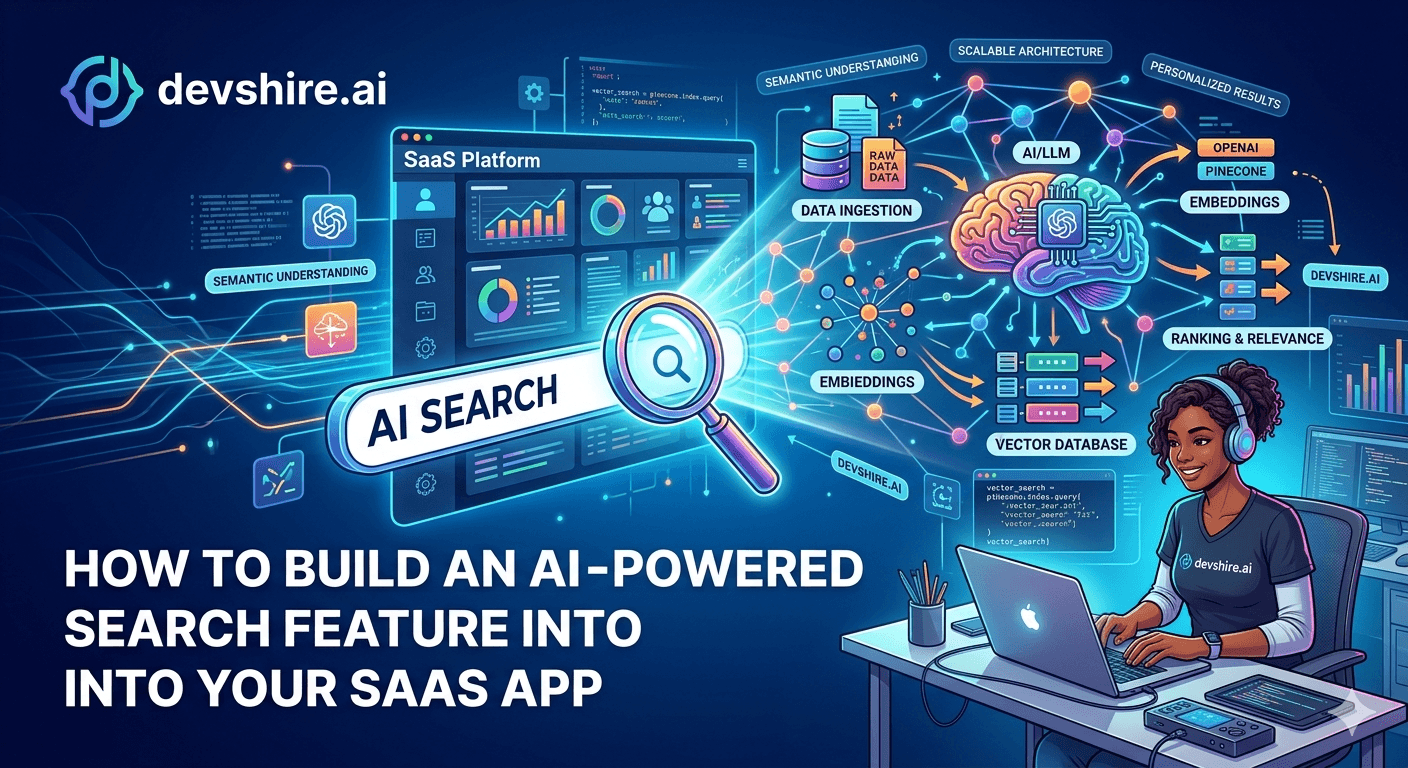
Users type something into your search bar. They get the wrong results or nothing. They churn. You know this is a problem. You've probably even tracked it in your analytics — high search-with-no-results rate, low search-to-conversion rate, support tickets that start with "I couldn't find..." The fix used to require building a full Elasticsearch cluster and spending six weeks on relevance tuning. In 2026 it doesn't. The components for AI-powered search — embedding models, vector databases, hybrid retrieval — are commodity infrastructure now. A focused developer can ship a meaningful upgrade to search in 2–4 weeks. Here's the complete picture of how to do it right.
💡 TL;DR
AI-powered search in a SaaS app means using embeddings to match user intent rather than keywords. The basic stack is: an embedding model (OpenAI text-embedding-3-small or a self-hosted alternative), a vector store (Pinecone, pgvector, or Weaviate), and a retrieval layer that combines semantic and keyword search. Most SaaS apps should start with pgvector in their existing Postgres database before reaching for a dedicated vector DB. The full build takes 2–4 weeks. Latency target: under 200ms for search results.
Why Keyword Search Fails — and What Semantic Search Fixes
Keyword search works by matching the exact words a user types against the words in your content. It's fast and it's been the default for decades. But it breaks in ways that frustrate users every single day.
A user searching for "how to cancel" doesn't find results tagged "subscription management." Someone searching for "import my contacts" misses the docs on "CSV upload." The problem isn't bad content — it's that keyword search requires users to guess your exact terminology. Semantic search doesn't.
Factor | Keyword Search | Semantic Search | Hybrid |
|---|---|---|---|
Matches exact terms | Yes | No | Yes |
Understands intent | No | Yes | Yes |
Handles typos | Partially | Yes | Yes |
Setup complexity | Low | Medium | Medium-High |
Latency | <50ms | 50–200ms | 100–300ms |
Best for | Product names, exact IDs | Concepts, questions, natural language | Most SaaS use cases |
Most SaaS apps should build hybrid search — combining keyword and semantic retrieval and merging the results. Pure semantic search misses exact-match queries that users expect to work instantly. Hybrid gives you the best of both.
Picking Your Stack: Embedding Model + Vector Store
Before you write any code, make two decisions: which embedding model you'll use, and where you'll store the vectors. These choices affect latency, cost, and how much infrastructure you're taking on.
🧠 Embedding model: start with OpenAI text-embedding-3-small
At $0.02 per million tokens, it's cheap enough to embed your entire knowledge base on day one. For most SaaS apps with under 100,000 searchable items, the quality-to-cost ratio is excellent. If you need to avoid API dependency or reduce latency further, a self-hosted model like all-MiniLM-L6-v2 via sentence-transformers gives solid results at zero marginal cost.
🗄️ Vector store: pgvector first, dedicated DB later
If you're already on Postgres, install the pgvector extension and you have a vector store today. No new infrastructure, no new service to manage, no additional cost. It handles hundreds of thousands of vectors with sub-100ms query times. Only move to Pinecone, Weaviate, or Qdrant when you're exceeding 1M vectors or need multi-tenant vector isolation.
[INTERNAL LINK: AI tools for developers → devshire.ai/blog/ai-tools-developers-2026]
How to Build It: A Step-by-Step Breakdown
Here's what a real implementation looks like from first commit to production. This assumes a SaaS app with a Postgres database, a Python or Node backend, and a knowledge base or content corpus you want to make searchable.
1️⃣ Step 1 — Define what's searchable
Before any embedding work, list exactly what users should be able to find: help docs, product records, user-generated content, past activity. Each type needs its own chunking strategy. A 3,000-word help article should be split into 300-word chunks with overlap. A product record is one unit. Getting chunking wrong is the most common reason AI search returns irrelevant results.
2️⃣ Step 2 — Generate and store embeddings
Run your content through your embedding model and store the vectors in pgvector alongside your content ID and metadata. Add an index: CREATE INDEX ON items USING ivfflat (embedding vector_cosine_ops). This is the query index that makes similarity search fast. Without it, every query is a full table scan.
3️⃣ Step 3 — Build the retrieval layer
When a user searches, embed their query using the same model, run a cosine similarity search against your vector store, and optionally merge with keyword results using Reciprocal Rank Fusion (RRF). Return the top 5–10 results. Keep your retrieval layer under 200ms end-to-end — users notice anything slower as "laggy."
4️⃣ Step 4 — Add re-ranking (optional but impactful)
A cross-encoder re-ranker like Cohere Rerank or a local model takes your top-20 semantic results and re-scores them by relevance to the exact query. This step adds 50–100ms but meaningfully improves precision. Worth it for search over complex content like documentation or product descriptions.
[EXTERNAL LINK: pgvector documentation → github.com/pgvector/pgvector]
Hitting Your Latency Target: Under 200ms in Production
This is where a lot of first implementations fall down. The prototype works great on your laptop. In production with real traffic, results take 800ms and users notice. Here's what's usually causing it.
⚡ Cache your query embeddings
If a user searches the same thing twice, you don't need to call the embedding API again. Cache the embedding for frequently searched queries in Redis with a 24-hour TTL. This alone cuts API latency for repeat queries to near-zero.
🔍 Limit your vector search scope
Don't search all vectors for every query. Filter by the user's account first, then by content type, then run the similarity search on the smaller filtered set. A user searching your app should never be searching every other tenant's data — and the scoped search is also 3–10× faster.
📊 Monitor p95 latency, not average
Average latency hides outliers. A search that's 150ms average but 900ms at p95 feels broken to users who hit that 95th percentile. Set your latency SLO at p95 under 300ms and alert when it's exceeded.
Trusted by 500+ startups & agencies
"Hired in 2 hours. First sprint done in 3 days."
Michael L. · Marketing Director
"Way faster than any agency we've used."
Sophia M. · Content Strategist
"1 AI dev replaced our 3-person team cost."
Chris M. · Digital Marketing
Join 500+ teams building 3× faster with Devshire
1 AI-powered senior developer delivers the output of 3 traditional engineers — at 40% of the cost. Hire in under 24 hours.
Keeping Embeddings Fresh: The Indexing Pipeline Problem
Most guides show you how to build the initial embedding pipeline. Almost none cover what happens when your content changes. A user updates a document. A new product gets added. An old record gets deleted. Your vector store needs to know.
You need an incremental indexing pipeline. Not a full re-index every night — that gets expensive fast. Here's what works in practice.
🔄 Event-driven embedding updates
When content is created or updated in your database, fire an event to a queue (SQS, Redis Streams, or even a Postgres LISTEN/NOTIFY). A background worker picks up the event, generates the new embedding, and upserts it into your vector store. Deletions should tombstone the vector immediately — stale vectors in search results destroy trust.
🗂️ Track embedding versions
When you upgrade your embedding model, you need to re-index everything. Store which model version was used to generate each embedding. When you upgrade models, you can re-index in batches in the background without breaking search — run both models in parallel until the new index is complete, then cut over.
[INTERNAL LINK: building AI features into SaaS → devshire.ai/blog/add-ai-features-saas]
Three Things That Break AI Search — and the Fix for Each
After shipping this feature across multiple products, the same failure modes appear. Here's what to watch for before they hit production.
🐛 Problem 1: Bad chunking — results are always partial
If your chunks are too large (3,000+ words), similarity search matches the right document but retrieves a chunk that doesn't contain the specific answer. If they're too small (under 50 words), results lack context. Fix: aim for 200–400 word chunks with 10–20% overlap between adjacent chunks. Test by searching for specific facts in your content and checking if the retrieved chunk actually contains them.
⚡ Problem 2: No index on the vector column — queries are slow
pgvector without an IVFFlat or HNSW index does a full table scan on every query. At 10,000 vectors it's fine. At 100,000 it's noticeably slow. At 1,000,000 it's broken. Add the index before you go to production — not after users start complaining.
🔒 Problem 3: Cross-tenant data leaking in results
If your similarity search isn't filtered by tenant/account, users can retrieve other customers' content. This is a data leak, not just a UX bug. Always include a WHERE clause filtering to the current user's account before running vector similarity. Test this explicitly before shipping.
The Bottom Line
AI-powered search uses embeddings to match intent rather than keywords — users can search "how to cancel" and find results tagged "subscription management."
Build hybrid search (keyword + semantic) for most SaaS use cases. Pure semantic search misses exact-match queries users expect to work instantly.
Start with pgvector in your existing Postgres database. Only move to Pinecone or Weaviate when you exceed 1M vectors or need multi-tenant isolation.
Use OpenAI text-embedding-3-small at $0.02 per million tokens as your default embedding model. It's cheap enough to re-index your full corpus regularly.
Chunk content at 200–400 words with 10–20% overlap. Bad chunking is the most common reason semantic search returns irrelevant results.
Always filter vector searches by tenant/account before running similarity. Cross-tenant data leaks are a real risk if you skip this.
Set your latency target at p95 under 300ms. Cache query embeddings in Redis, scope your searches, and add a vector index before you go to production.
Frequently Asked Questions
What is AI-powered search in a SaaS application?
AI-powered search uses embedding models to convert text into numerical vectors and then matches user queries by semantic similarity rather than exact keyword overlap. This lets users find content using natural language and intent rather than needing to know your exact terminology. It's particularly valuable in apps with large knowledge bases, documentation, or user-generated content.
Do I need a dedicated vector database like Pinecone to build AI search?
Not at first. If you're already on Postgres, the pgvector extension gives you a capable vector store with no additional infrastructure. It handles hundreds of thousands of vectors with good performance. Move to a dedicated vector database like Pinecone, Weaviate, or Qdrant when you exceed 1 million vectors, need multi-tenant vector isolation, or require real-time vector synchronisation at high write volume.
How long does it take to add AI search to an existing SaaS app?
A focused developer can ship a working AI search feature in 2–4 weeks for a typical SaaS application. Week one covers the embedding pipeline and vector store setup. Week two covers the retrieval layer and hybrid search logic. Weeks three and four cover performance optimisation, the incremental indexing pipeline, and production testing. Teams that rush this timeline typically hit latency or data freshness problems post-launch.
What embedding model should I use for SaaS search?
OpenAI's text-embedding-3-small is the easiest starting point — good quality, extremely cheap at $0.02 per million tokens, and available via the API immediately. For teams that want to avoid external API dependency or need lower latency, a self-hosted model like all-MiniLM-L6-v2 via sentence-transformers performs well for most use cases at zero marginal cost.
How do I keep vector embeddings up to date when content changes?
Build an event-driven indexing pipeline: when content is created, updated, or deleted in your database, fire an event to a queue, and have a background worker update the corresponding embeddings in your vector store. A nightly full re-index works for small corpora but gets expensive and slow at scale. Event-driven updates keep your search index fresh in near-real-time without the cost of full re-indexing.
What's hybrid search and why is it better than pure semantic search?
Hybrid search combines keyword-based retrieval (like BM25) with semantic vector search, then merges the ranked results. Pure semantic search is great for natural language and intent matching but sometimes misses exact-term queries like product names, IDs, or specific technical terms. Hybrid search covers both modes — users who search by exact name get exact matches, and users who search by intent get semantically relevant results. For most SaaS products, hybrid outperforms either approach alone.
What's the right latency target for AI-powered search?
Aim for p95 latency under 300ms end-to-end. Users perceive anything over 300ms as noticeably slow in a search context — it breaks the instant-feedback feel they expect. The most common latency killers are missing vector indexes (fix: add IVFFlat or HNSW), no query embedding cache (fix: Redis cache with 24-hour TTL), and over-broad search scope (fix: filter by account before running similarity).
Build Your AI Search Feature With a Developer Who's Done It Before
devshire.ai matches SaaS teams with developers experienced in embedding pipelines, vector search infrastructure, and production AI feature development. Get a pre-vetted shortlist in 48–72 hours. Freelance and full-time options available.
Find Your AI Developer at devshire.ai →
No upfront cost · Shortlist in 48–72 hrs · Freelance & full-time · Stack-matched candidates
About devshire.ai — devshire.ai connects SaaS teams with developers who build real AI features — not just API wrappers. Every developer is screened for practical AI toolchain experience. Typical time-to-hire: 8–12 days. Start hiring →
Related reading: How to Add AI Features to Your SaaS · Best AI Tools for Developers in 2026 · How to Build a SaaS MVP Fast · Building a Customer Analytics Platform for SaaS · Claude AI for Developers







Devshire Team
San Francisco · Responds in <2 hours
Hire your first AI developer — this week
Book a free 30-minute call. We'll match you with the right developer for your project and get you started within 24 hours.
<24h
Time to hire
3×
Faster builds
40%
Cost saved