
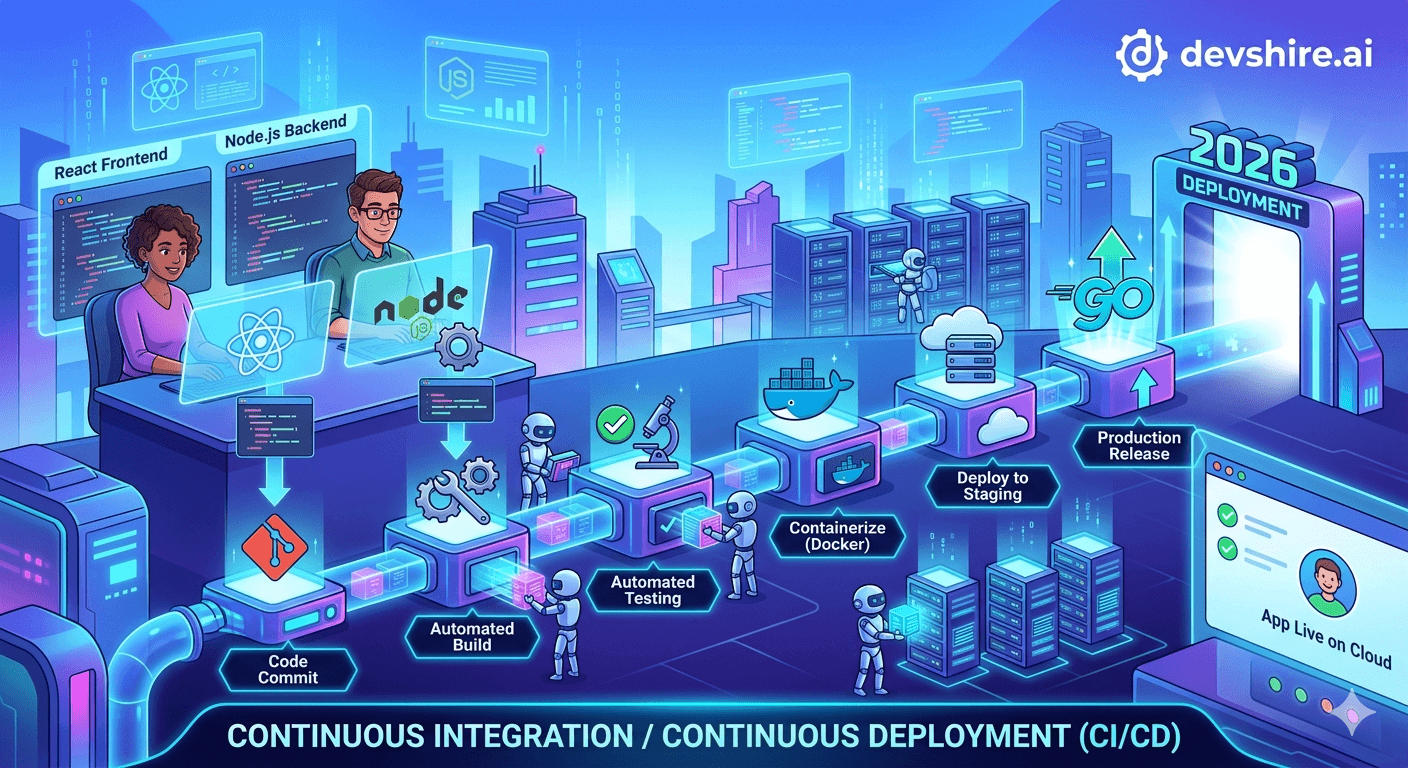
Most React and Node.js teams set up CI/CD once, hit some edge cases, patch it with workarounds, and end up with a pipeline that technically works but takes 18 minutes and fails mysteriously 15% of the time. Then nobody touches it for six months because changing the CI configuration feels riskier than leaving it broken. This guide is for teams starting fresh or fixing what broke. The setup I'll walk through uses GitHub Actions as the default (it's where most React/Node teams already live), covers the pipeline stages that actually matter, and explains the specific configuration decisions that most quick-start guides skip. Done right, your pipeline runs in under 8 minutes and ships with enough confidence that you can deploy on a Friday.
💡 TL;DR
A production-grade CI/CD pipeline for a React + Node.js app needs five stages: install dependencies (cached), lint + type check, unit and integration tests, build, and deploy. GitHub Actions covers this cleanly with minimal config. The critical performance decisions are caching node_modules correctly (saves 2–3 minutes per run), running tests in parallel where possible, and only deploying from main after all checks pass. A well-configured pipeline runs in 6–10 minutes. Under-configured ones run in 18–25 minutes and developers start skipping CI.
The Five Stages Every React + Node.js Pipeline Needs
Before touching any YAML, get the pipeline structure right. The stages aren't optional — each one catches a different class of problem. Skip one and you're accepting the risk of that problem class hitting production.
Stage | What it catches | Typical duration | Runs on |
|---|---|---|---|
Install + cache | Dependency conflicts, lockfile issues | 30s–2min (cached: 15s) | Every push |
Lint + type check | Code style violations, TypeScript errors | 1–3 min | Every push |
Unit + integration tests | Logic errors, regressions, broken APIs | 2–8 min | Every push |
Build | Build errors, bundle size regressions | 2–5 min | PRs to main + main |
Deploy | N/A (pushes to environment) | 1–3 min | main branch only |
Run lint and type check before tests. It's faster and failures there don't need to wait for the full test suite to complete. If type errors exist, you don't need to wait 5 minutes for test results to tell you the PR isn't ready.
The GitHub Actions Configuration That Actually Works
Here's the configuration structure for a monorepo with a React frontend and Node.js backend. This isn't the hello-world version — it's the configuration with caching, parallel test execution, and environment-specific deployment built in.
📁 File structure
Create .github/workflows/ci.yml for your CI pipeline and .github/workflows/deploy.yml for deployment. Separating CI from deploy makes it easier to trigger deploys manually and debug failures independently. Your CI workflow runs on every push; deploy runs only when CI passes on main.
⚡ Dependency caching — the most important performance decision
Use the actions/cache action with a cache key based on your lockfile hash: hashFiles('**/package-lock.json'). This means the cache is invalidated when dependencies change but reused when they don't. A cache hit saves 2–3 minutes per run. On a team with 20 CI runs per day, that's 40–60 minutes of pipeline time saved daily. Configure it before optimising anything else.
🔀 Parallel jobs for frontend and backend
Run your React tests and Node.js API tests as separate parallel jobs. If each takes 4 minutes, running them sequentially takes 8 minutes; running in parallel takes 4. Use GitHub Actions jobs with no dependency between them. Your deploy job then uses needs: [test-frontend, test-backend] to wait for both.
🔑 Environment secrets and variables
Store API keys, database connection strings, and deployment credentials in GitHub Secrets (Settings → Secrets and variables → Actions). Never hardcode secrets in workflow files — they'll appear in git history and in workflow logs. Reference them as ${{ secrets.DATABASE_URL }} in your YAML. For environment-specific values (staging vs production), use GitHub Environments with environment-level secrets.
Test Configuration That Runs Fast Without Skipping Coverage
Slow tests are the number one reason CI pipelines get bypassed. When a test suite takes 15 minutes, developers start pushing directly to main to avoid waiting. Here's how to keep it fast without sacrificing meaningful coverage.
🧪 Vitest for React, Jest for Node — or both on Vitest
Vitest is significantly faster than Jest for React applications and compatible with the same test syntax. If your Node.js tests also run with Jest, migrating both to Vitest and running them in a single worker pool saves setup time. For teams already on Jest and not willing to migrate, configure --maxWorkers=4 to parallelise across CPU cores and --forceExit to prevent hanging test runs.
🎭 Integration tests against a real test database
Use GitHub Actions service containers for a real Postgres or MySQL database in CI. This is simpler than most guides suggest: add a services block to your job definition with the postgres:15 image, set the connection string as an environment variable, and run your API integration tests against it. Testing against real database behaviour catches query errors that mocks miss.
📊 Coverage thresholds without blocking on 100%
Set a coverage threshold (typically 70–80% for new projects) that fails the CI if coverage drops below it. This prevents coverage regression without requiring perfect coverage on every PR. Configure this in your Vitest or Jest config as coverage.thresholds — not as a post-process check that developers can skip.
[INTERNAL LINK: AI code review tools → devshire.ai/blog/ai-code-review-tools]
Deployment: From CI Pass to Live in Under 3 Minutes
The deploy stage should be boring. It runs automatically when main passes CI, deploys to the right environment, and only needs human attention when it fails. Here are the deployment targets and their trade-offs.
▲ Vercel or Railway for React + Node.js monorepos (fastest)
Both platforms detect your project structure, build both apps, and deploy in 2–3 minutes with zero custom infrastructure configuration. Vercel handles React deployments natively; Railway handles Node.js backend services cleanly. Both integrate directly with GitHub — merge to main and the deploy triggers automatically. This is the right choice for startups that don't need custom infrastructure control.
🐳 Docker + AWS ECS or GCP Cloud Run (more control)
Build Docker images in your CI pipeline, push to ECR or Google Artifact Registry, then trigger a service update via the AWS or GCP CLI. More setup upfront but complete control over runtime environment, resource allocation, and network configuration. Add a smoke test step after deploy that hits your health endpoint — if it doesn't return 200 within 30 seconds, roll back automatically.
🔵 Blue-green deployments for zero downtime
For production services with high uptime requirements, blue-green deployment routes traffic to the new version after a health check passes, then terminates the old version. ECS and Cloud Run both support this natively. The GitHub Actions step is simple: update the service, wait for health check, swap traffic. Configure a 60-second stabilisation wait before calling the deploy successful.
[EXTERNAL LINK: GitHub Actions documentation → docs.github.com/en/actions]
Trusted by 500+ startups & agencies
"Hired in 2 hours. First sprint done in 3 days."
Michael L. · Marketing Director
"Way faster than any agency we've used."
Sophia M. · Content Strategist
"1 AI dev replaced our 3-person team cost."
Chris M. · Digital Marketing
Join 500+ teams building 3× faster with Devshire
1 AI-powered senior developer delivers the output of 3 traditional engineers — at 40% of the cost. Hire in under 24 hours.
Five CI/CD Mistakes That Slow Down Shipping
These are the configuration issues that cause pipelines to run slow, fail mysteriously, or get bypassed entirely. Fix them in the first week, not the sixth month.
🐌 Mistake 1: Not caching dependencies
Every run reinstalling all node_modules from scratch adds 2–4 minutes. Cache the node_modules directory or ~/.npm cache keyed on your lockfile hash. This is the highest-ROI optimisation in most pipelines and takes 10 lines of YAML to implement.
🔗 Mistake 2: Running everything sequentially when it could be parallel
Frontend tests and backend tests are independent. Lint and type check are independent. Running them in sequence when they could run in parallel jobs is the most common source of unnecessary pipeline length. GitHub Actions parallelism is free — use it.
🔑 Mistake 3: Hardcoding environment values in workflow files
Any value that differs between staging and production — database URLs, API keys, feature flags — belongs in GitHub Secrets or GitHub Environments, not in the YAML file. Hardcoded values mean every environment change requires a code change and code review, which creates unnecessary friction and security risk.
🚫 Mistake 4: No smoke test after deploy
A deploy that reports success but ships broken code is worse than a failed deploy. Add a simple smoke test after every deploy: curl your API health endpoint, load the critical user path, verify a key page returns 200. If this fails, trigger an automatic rollback. Without it, you'll discover broken deploys via user reports, not monitoring.
⏰ Mistake 5: No timeout on hanging test runs
A test that hangs due to an unclosed database connection or infinite loop will block your pipeline until the GitHub Actions timeout (6 hours by default). Set a job-level timeout-minutes: 15 on your test jobs. If tests haven't finished in 15 minutes, something is wrong — fail fast and investigate rather than waiting for the default timeout.
The Bottom Line
A well-configured CI/CD pipeline for React + Node.js runs in 6–10 minutes. Over 15 minutes and developers start skipping CI — fix the performance problem before that habit forms.
Dependency caching is the highest-ROI optimisation. Cache
node_moduleskeyed on your lockfile hash. A cache hit saves 2–4 minutes per run.Run frontend and backend tests as parallel jobs. If each takes 4 minutes sequential, parallel saves you 4 minutes per run — 80+ minutes per day on an active team.
Always add a smoke test after deploy. A deploy that reports success but ships broken code is worse than a visible failure.
Store all secrets in GitHub Secrets or GitHub Environments. Never hardcode environment values in workflow YAML files.
Set a
timeout-minuteson all test jobs. Hanging tests without a timeout can consume 6 hours of pipeline time before the default limit triggers.
Frequently Asked Questions
What is the best CI/CD tool for a React and Node.js app in 2026?
GitHub Actions is the default choice for most teams — it's integrated with GitHub, has the largest library of reusable actions, and the free tier covers most startup usage. CircleCI and GitLab CI are strong alternatives if you're not on GitHub. For deployment specifically, Vercel (React) and Railway (Node.js backend) offer the fastest path from CI pass to live deployment with minimal configuration. For teams that need more control, Docker + AWS ECS or Cloud Run gives full infrastructure flexibility.
How fast should a CI/CD pipeline be for a React + Node.js app?
A well-configured pipeline should run in 6–10 minutes from push to deploy-ready. Under 6 minutes is excellent. 10–15 minutes is acceptable but worth optimising. Over 15 minutes consistently causes developers to start working around CI — pushing directly to main, skipping tests, or not waiting for results. If your pipeline is over 15 minutes, the first fix is always dependency caching, then parallel job configuration.
How do I cache node_modules in GitHub Actions?
Use the actions/cache action with a cache key based on your lockfile hash. The key should be something like node-modules-${{ hashFiles('**/package-lock.json') }}. Cache the ~/.npm directory (for npm) or node_modules directly. When the lockfile doesn't change between commits, the cache is reused and npm install is effectively skipped, saving 2–4 minutes per run. GitHub also provides a actions/setup-node action with built-in caching via the cache: 'npm' parameter.
How do I set up parallel jobs in GitHub Actions?
Define multiple jobs at the same level in your jobs block without needs dependencies between them. For example, a test-frontend job and test-backend job defined as siblings will run simultaneously. Your deploy job then specifies needs: [test-frontend, test-backend] to wait for both before running. GitHub Actions runs parallel jobs on separate hosted runners, so there's no resource contention between them.
How do I deploy a Node.js app automatically with GitHub Actions?
The simplest path is connecting your GitHub repository to Railway or Render, which deploy automatically when CI passes on main. For AWS deployment: build a Docker image in your CI job, push it to ECR using the aws-actions/amazon-ecr-login action, then update your ECS service with the new image tag. For GCP: push to Artifact Registry and update Cloud Run. All three approaches require storing deployment credentials in GitHub Secrets and using environment-specific secret contexts for staging vs production.
What tests should I run in CI for a React + Node.js app?
Minimum viable test suite: React component unit tests with Vitest/RTL, API endpoint integration tests against a real test database (using GitHub Actions service containers), and TypeScript type checking. Add end-to-end tests with Playwright or Cypress for critical user flows if you have the test infrastructure to support them. Start with unit and integration tests — they catch the most bugs per minute of pipeline time — and add E2E tests selectively for paths where integration tests can't provide sufficient confidence.
What should I do if my CI/CD pipeline keeps failing intermittently?
Intermittent failures (flaky tests) are the most common CI reliability problem. Common causes: database state not properly reset between tests (use transaction rollbacks or database seeds that reset on each run), time-dependent tests that fail based on execution timing (replace with fixed timestamps in test fixtures), and network-dependent tests that fail on GitHub Actions infrastructure (mock external HTTP calls in tests). Identify flaky tests by running your suite 5 times and noting which tests fail non-deterministically, then fix those specifically.
Need a Developer to Set Up or Fix Your CI/CD Pipeline?
devshire.ai matches product teams with developers experienced in GitHub Actions, Docker, AWS, and modern deployment pipelines. Get a pre-vetted shortlist in 48–72 hours.
Start Your Search at devshire.ai →
No upfront cost · Shortlist in 48–72 hrs · Freelance & full-time · Stack-matched candidates
About devshire.ai — devshire.ai matches AI-powered engineering talent with product teams that ship. Every developer has passed a live proficiency screen. Typical time-to-hire: 8–12 days. Start hiring →
Related reading: Hire Node.js Developers With AI Skills · AI Code Review Tools for Dev Teams · Best Tech Stack for Startups in 2026 · How to Build a SaaS MVP Fast · How to Automate Your Startup Backend With AI







Devshire Team
San Francisco · Responds in <2 hours
Hire your first AI developer — this week
Book a free 30-minute call. We'll match you with the right developer for your project and get you started within 24 hours.
<24h
Time to hire
3×
Faster builds
40%
Cost saved