
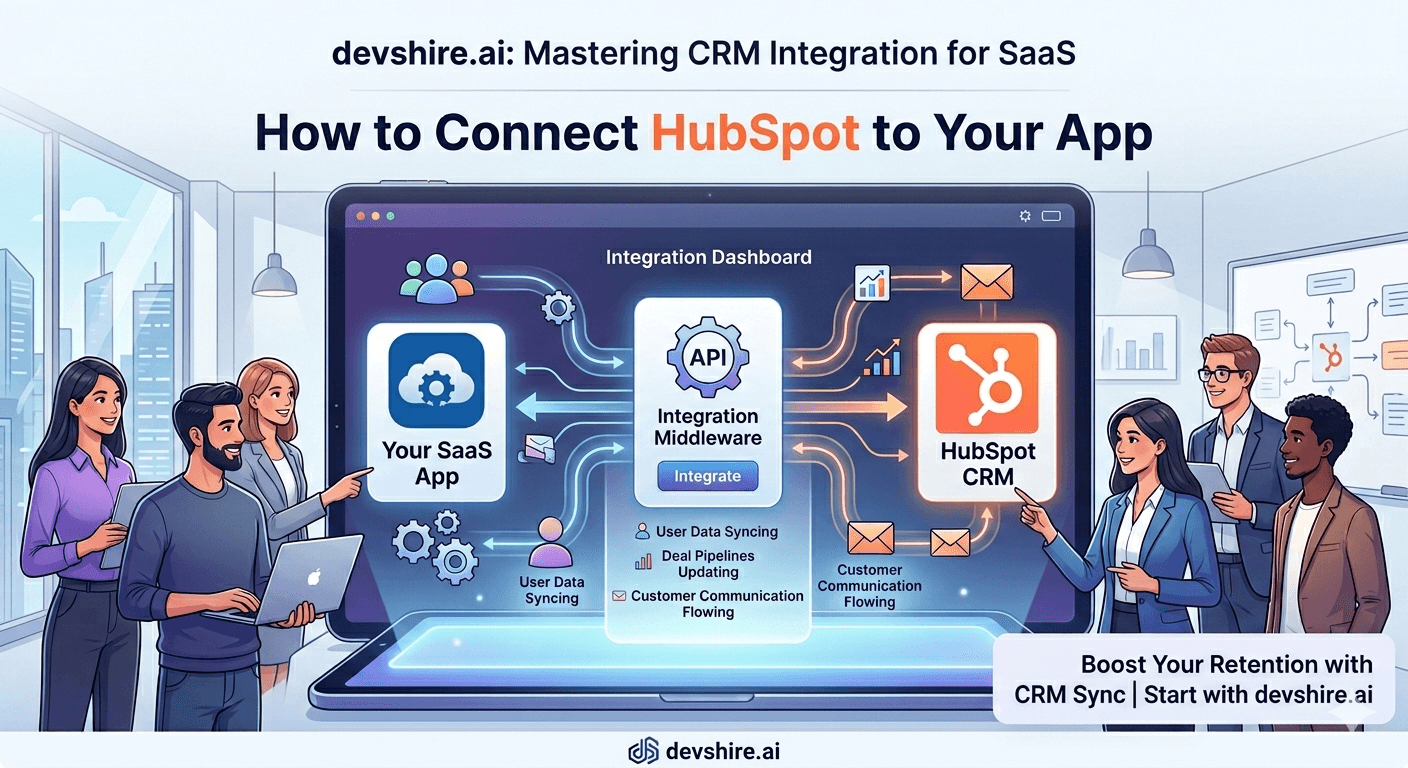
You set up HubSpot six months ago. Your sales team logs calls in it. Your CRM has contact records. But your SaaS app doesn't know any of that — it's running blind on who's a trial user, who's a paying customer, and which leads already had a demo. Meanwhile, HubSpot doesn't know that three of your leads activated a key feature yesterday, or that your two highest-value prospects haven't logged in for 11 days. The two systems are islands. Your sales team is manually copying data between them. Things fall through the gaps. This is fixable. A proper CRM integration between HubSpot and your SaaS app creates a closed loop where product behaviour informs sales and CRM data informs your product. Here's exactly how to build it.
💡 TL;DR
A HubSpot-to-SaaS integration has three layers: contact sync (keeping users in sync between your app and HubSpot), product event data (pushing user behaviour from your app into HubSpot contact properties), and deal automation (triggering HubSpot deals and pipeline movements based on what happens in your product). Most teams implement only the first layer and wonder why the CRM isn't useful. All three layers together is what makes the integration actually valuable.
Architecture Overview: How the Integration Should Work
Before touching any API, get the data flow right in your head. A HubSpot integration for SaaS typically runs in two directions simultaneously.
Direction | What flows | How it's triggered | Use case |
|---|---|---|---|
App → HubSpot | User signups, feature usage, plan changes, login frequency | Webhooks or scheduled sync | Sales and CS context on each contact |
HubSpot → App | Deal stage, contact owner, sales notes, custom segments | HubSpot webhooks to your endpoint | Personalise in-app experience by CRM status |
App → HubSpot (Deals) | Trial started, feature activated, upgrade intent signals | Product events triggering deal creation | Automate pipeline without manual entry |
Most teams implement only the first row and stop. That gives sales context but doesn't close the loop. The full integration — all three directions — is what eliminates manual data entry and makes both systems more useful.
⚠️ Common mistake: sync everything, use nothing
Teams often build a contact sync that pushes 50 properties from their app into HubSpot and then nobody looks at them. Define upfront which specific properties your sales team will actually use in their workflow — typically 5–8 properties. Sync only those. A contact record with 50 properties nobody reads is noise.
HubSpot API Setup: What You Need Before Writing Code
HubSpot's API is well-documented and relatively developer-friendly. Here's the setup sequence before any integration code runs.
1️⃣ Create a Private App (not API keys)
HubSpot deprecated API keys in 2022. Use Private Apps: go to Settings → Integrations → Private Apps → Create. Assign only the scopes you need: crm.objects.contacts.write, crm.objects.deals.write, and crm.objects.companies.write at minimum. The access token generated here is what your app uses for all API calls.
2️⃣ Create your custom contact properties
HubSpot's default contact properties don't include SaaS-specific fields like plan, trial expiry date, last login, or feature usage count. Create these as custom properties in HubSpot before syncing. Settings → Properties → Create property. Name them consistently — use a prefix like app_plan, app_last_login to distinguish from HubSpot-native fields.
3️⃣ Set up your HubSpot webhook listener
To receive data from HubSpot back into your app, you need a webhook endpoint. In HubSpot: Settings → Integrations → Private Apps → Webhooks. Create subscriptions for the events you care about — contact property changes, deal stage changes. Your app needs a publicly accessible endpoint to receive these payloads.
[EXTERNAL LINK: HubSpot Private Apps documentation → developers.hubspot.com/docs/api/private-apps]
Layer 1: Contact Sync — Keeping Users in Both Systems
The foundation of every CRM integration is contact sync. When a user signs up in your app, a contact should appear in HubSpot. When they upgrade their plan, that property should update in HubSpot automatically. No manual entry.
📧 Use email as the primary identifier
HubSpot deduplicates contacts by email address. When creating or updating a contact, always pass the email — this prevents duplicate records. Use the POST /crm/v3/objects/contacts endpoint with idProperty: "email" to upsert (create if doesn't exist, update if it does).
⚡ Trigger sync from server-side events
Fire a HubSpot contact update whenever a meaningful user state changes: signup, plan upgrade, plan downgrade, feature activation, trial expiry. Do this from your backend, not from a scheduled batch job. Real-time syncs mean your sales team always has current data — not data from last night's batch run.
📋 The five properties worth syncing for every contact
app_plan (free/trial/starter/growth/enterprise), app_trial_expires_at, app_last_login, app_feature_count (number of core features used), app_account_id (your internal ID for cross-referencing). These five let sales prioritise, qualify, and personalise outreach without logging into your app.
Layer 2: Product Event Data — Pushing Behaviour Into HubSpot
Contact properties tell sales what a user's current state is. But the high-value signal is what they did recently — and that's where product events come in. HubSpot's timeline API lets you log custom events on a contact record that appear as a chronological activity feed visible to your sales team.
📈 Log key product moments as timeline events
When a user activates a core feature, invites a teammate, or hits an important milestone, log it as a HubSpot timeline event on their contact. Your sales team can see "Activated reporting feature" and "Invited 3 teammates" in the contact timeline without leaving HubSpot. This is the context that makes outreach personal instead of generic.
🚨 Log churn risk signals
When a user's login frequency drops below a threshold, or their feature usage decreases week-over-week, log a timeline event: "Usage drop detected — no login in 14 days." Set up a HubSpot workflow that notifies the account owner when this event fires. Most churn is preventable when CS teams catch it 3–4 weeks early.
[INTERNAL LINK: customer analytics and churn signals → devshire.ai/blog/customer-analytics-platform-saas]
Trusted by 500+ startups & agencies
"Hired in 2 hours. First sprint done in 3 days."
Michael L. · Marketing Director
"Way faster than any agency we've used."
Sophia M. · Content Strategist
"1 AI dev replaced our 3-person team cost."
Chris M. · Digital Marketing
Join 500+ teams building 3× faster with Devshire
1 AI-powered senior developer delivers the output of 3 traditional engineers — at 40% of the cost. Hire in under 24 hours.
Layer 3: Deal Automation — Moving Pipeline Without Manual Entry
The layer that saves the most sales time is automated deal creation and pipeline movement. Instead of a sales rep manually creating a deal when someone starts a trial, your app does it automatically.
🆕 Auto-create a deal when a trial starts
When a user starts a trial in your app, fire a POST /crm/v3/objects/deals call to create a deal in your HubSpot pipeline. Associate it with the contact and company. Set the deal stage to "Trial Active." Your sales team now has every trial in their pipeline without entering anything manually.
➡️ Auto-advance deals on activation signals
When a user activates your core feature, move the deal stage to "Activated" via the PATCH /crm/v3/objects/deals/{dealId} endpoint. When they invite a second user, move to "Expansion Signal." When they view the pricing page twice in a week, move to "Upgrade Intent." Each stage advance happens automatically from product behaviour — no manual rep input required.
✅ Close deals automatically on upgrade
When a user upgrades their plan, close the deal as Won in HubSpot automatically. Update the deal amount from your billing system. Your CRM stays accurate without requiring sales to remember to update deal stages — which they won't, consistently, without automation.
What Breaks CRM Integrations in Production
The integration is usually easy to build. The part that causes problems is running it reliably over months. Here are the failure modes to anticipate.
💥 No retry logic on API failures
HubSpot's API returns 429 rate limit errors and 5xx errors. If your integration fires and fails silently, contact data drifts out of sync without anyone knowing. Build retry logic with exponential backoff into every API call. Log failures to a monitoring system. Set up alerts when the failure rate exceeds a threshold.
🔄 Circular update loops
You update a HubSpot contact from your app. HubSpot fires a webhook back to your app. Your app processes the webhook and updates HubSpot again. Loop. This can happen with bidirectional syncs. Solution: add a timestamp comparison — only process updates where the source timestamp is newer than your last write.
👥 Duplicate contacts from missing deduplication
Users signing up with different email casings (User@company.com vs user@company.com) or using different emails at different points create duplicate HubSpot contacts. Always normalise email to lowercase before making API calls. Use HubSpot's deduplication tools periodically to catch cases that slip through.
The Bottom Line
A HubSpot integration has three layers: contact sync, product event data, and deal automation. Most teams implement only layer one and miss the value that layers two and three provide.
Use HubSpot Private Apps (not deprecated API keys) and scope permissions to only what you need.
Email is the deduplication key. Always normalise to lowercase and use upsert operations — not create-only — to avoid duplicate contacts.
The five properties worth syncing for every contact: plan, trial expiry, last login date, feature usage count, and your internal account ID.
Timeline events — product actions logged on contact records — are what make HubSpot actually useful for sales. Log key moments: feature activation, team expansion, churn risk signals.
Auto-create deals when trials start, advance deal stages based on product activation signals, and close deals automatically on upgrade. This eliminates manual CRM entry and keeps pipeline data accurate.
Build retry logic with exponential backoff for every API call. CRM integrations that fail silently create data drift that erodes trust in both systems.
Frequently Asked Questions
How do I connect HubSpot to my SaaS app?
The standard approach uses HubSpot's CRM API with a Private App for authentication. Create a Private App in HubSpot settings, assign the required scopes, and use the generated access token to make API calls. Key endpoints: POST /crm/v3/objects/contacts for contact creation and updates, POST /crm/v3/objects/deals for deal creation, and the Timeline API for logging product events. All are well-documented in HubSpot's developer portal.
Do I need a third-party tool like Zapier to connect HubSpot to my app?
Not if you have development resources. Zapier is useful for no-code teams or simple sync scenarios — for example, creating a HubSpot contact when a new row appears in a Google Sheet. But for a SaaS integration that syncs product behaviour, triggers deal automation, and handles real-time events, a direct API integration is more reliable, more flexible, and significantly cheaper at volume. Zapier's per-task pricing escalates fast.
What HubSpot plan do I need for CRM API access?
HubSpot's CRM API is available on all plans including the free tier. You can create contacts, companies, deals, and log timeline events on free HubSpot. Advanced features like workflow automation triggers from API events, and custom deal pipeline stages, may require paid plans (Starter or Professional). Check HubSpot's feature comparison for the specific capabilities you need.
How do I prevent duplicate contacts when syncing between HubSpot and my app?
Always use email as the deduplication key and normalise it to lowercase before every API call. Use upsert operations (create if not exists, update if exists) rather than create-only calls. HubSpot's /crm/v3/objects/contacts endpoint supports this with the idProperty: "email" parameter. Run HubSpot's built-in duplicate management tool periodically to catch any edge cases that bypass the email normalisation.
What product events should I log into HubSpot?
Focus on events that your sales and CS teams would act on: feature activation (first use of core product capability), team expansion (inviting additional users), pricing page views, trial expiry approaching, usage drop detected (churn signal), and plan upgrade or downgrade. Avoid logging every click and page view — the contact timeline becomes noise. Log events that inform a human action, not for completeness.
How long does it take to build a HubSpot integration for a SaaS app?
A basic contact sync (create/update contacts on signup and plan change) is 3–5 days for an experienced developer. Adding product event timeline logging takes another 3–5 days. Full deal automation — auto-create, auto-advance, auto-close — adds another week. A complete three-layer integration (contact sync + event logging + deal automation) with proper error handling and retry logic is typically a 3–4 week project.
Should I use HubSpot's native integrations or build my own?
HubSpot's native integrations with tools like Stripe, Intercom, and Salesforce are high quality and cover common sync scenarios well. For your own SaaS product, there's no native integration — you need to build it. For third-party tools your app uses (Stripe for billing, Segment for analytics), check if HubSpot already has a native connector before building a custom one. Custom builds only where native integrations don't cover your specific data flow.
Need a Developer to Build Your CRM Integration?
devshire.ai matches SaaS teams with developers who've built production-grade HubSpot integrations — contact sync, deal automation, and real-time product event pipelines. Get a pre-vetted shortlist in 48–72 hours.
Start Your Search at devshire.ai →
No upfront cost · Shortlist in 48–72 hrs · Freelance & full-time · Stack-matched candidates
About devshire.ai — devshire.ai matches AI-powered engineering talent with SaaS product teams. Every developer has passed a live proficiency screen covering tool use, output validation, and codebase review. Typical time-to-hire: 8–12 days. Start hiring →
Related reading: Building a Customer Analytics Platform for a SaaS Product · ETL Pipeline for Startups: When to Build vs When to Buy · Intercom vs Crisp vs Custom AI Chat: Which Is Best for SaaS? · How to Build a Growth Dashboard Your Whole Team Can Use · How to Add Mixpanel or Amplitude to Your App







Devshire Team
San Francisco · Responds in <2 hours
Hire your first AI developer — this week
Book a free 30-minute call. We'll match you with the right developer for your project and get you started within 24 hours.
<24h
Time to hire
3×
Faster builds
40%
Cost saved