
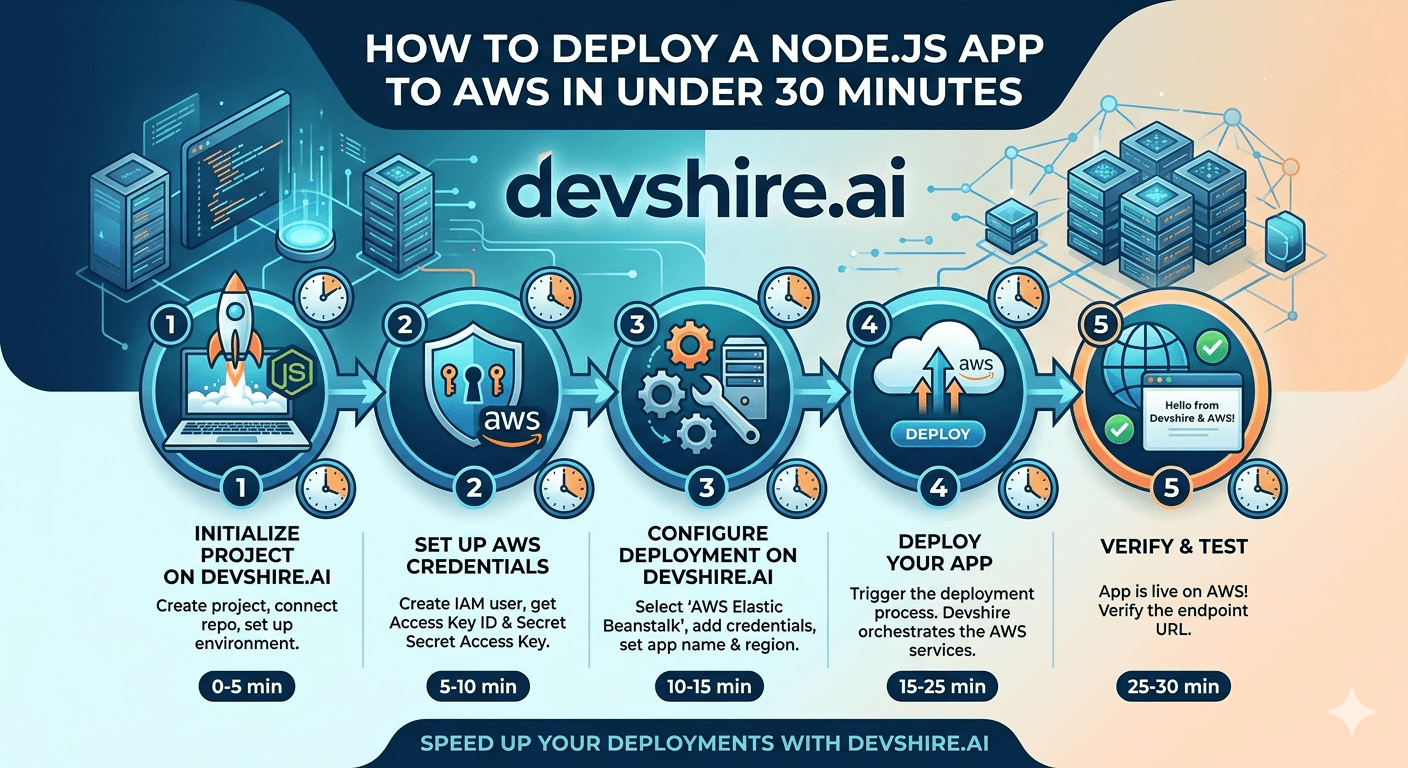
The first deployment of a Node.js app to AWS takes most developers three to four hours. Not because it's genuinely that complex — but because the AWS console has 200+ services, the documentation branches in every direction, and the first-timer instincts (let me understand every option before choosing) are exactly wrong for getting something live quickly. The 30-minute path exists. It requires making three or four non-reversible-but-low-stakes decisions quickly, ignoring the services that don't apply to your use case, and following the path in the right order. That's what this guide covers: the specific sequence that gets a Node.js application live on AWS, accepting HTTPS traffic from a custom domain, in under 30 minutes.
💡 TL;DR
The fastest path from a Node.js app to live on AWS: containerise it with Docker, push the image to ECR (AWS Elastic Container Registry), and deploy it with AWS App Runner (fully managed, handles load balancing, auto-scaling, HTTPS, and custom domains without any infrastructure configuration). Total time with a working Docker image: 15–25 minutes. Elastic Beanstalk is the faster-to-learn alternative for teams without Docker experience. ECS is for teams that need more control.
Choose Your Deployment Path First
AWS has multiple ways to run a Node.js app, and the right choice depends on your starting point and requirements. Choose the path that fits and follow it — don't evaluate all of them in parallel.
Service | Best for | Setup time | Infrastructure to manage |
|---|---|---|---|
App Runner | Containerised apps, simplest path | 15–25 min | None — fully managed |
Elastic Beanstalk | Non-Docker apps, familiar PaaS model | 20–35 min | Minimal — EB manages instances |
ECS (Fargate) | Container apps needing more control | 45–90 min | Some — task definitions, services |
EC2 directly | Maximum control, maximum setup | 60–180 min | Full instance management |
App Runner is the 30-minute path for containerised apps. Elastic Beanstalk is the 30-minute path for apps you want to deploy without building a Docker image. This guide covers App Runner as the primary path and Elastic Beanstalk as the alternative.
Path A: App Runner (Docker Container — Fastest)
AWS App Runner is a fully managed container service. Give it a Docker image; it handles load balancing, auto-scaling, HTTPS, and custom domain routing automatically. This is the least-infrastructure-decision path to a production-grade deployment.
1️⃣ Prepare your Dockerfile (5 minutes)
Your Node.js app needs a Dockerfile that exposes the right port and uses a non-root user. Minimum viable Dockerfile: FROM node:20-alpine, copy package files, run npm ci --only=production, copy source, add USER node, set EXPOSE 3000, and set the start command. App Runner requires your container to listen on the port defined in the service configuration — default is 8080 but you can configure it. [INTERNAL LINK: Docker startup containerisation guide → devshire.ai/blog/docker-startups-containerise-app-right-way]
2️⃣ Create an ECR repository and push your image (5 minutes)
In the AWS console, navigate to Elastic Container Registry and create a new private repository. Follow the push commands provided in the console: authenticate Docker to ECR with aws ecr get-login-password, build your image, tag it with the ECR repository URI, and push. First push takes 2–4 minutes depending on image size. Subsequent pushes are faster due to layer caching.
3️⃣ Create an App Runner service (10 minutes)
Navigate to App Runner in the AWS console. Create a new service, select your ECR image, configure the port (match your Dockerfile's EXPOSE value), set CPU and memory (0.5 vCPU + 1GB RAM is fine for most Node.js apps at startup scale), and add your environment variables. App Runner automatically creates an HTTPS endpoint at a subdomain of awsapprunner.com. First deployment takes 3–5 minutes.
4️⃣ Add a custom domain (5 minutes)
In your App Runner service, go to Custom domains and add your domain. App Runner generates the DNS records you need to add to your DNS provider. The ACM certificate provisioning happens automatically — once you add the CNAME records, HTTPS works within 5–10 minutes. No certificate management required on your part.
Path B: Elastic Beanstalk (No Docker Required)
If you'd rather deploy without building a Docker image, Elastic Beanstalk is the alternative. It handles your Node.js app directly from a zip file or git push.
1️⃣ Install the EB CLI and initialise your application
Install the Elastic Beanstalk CLI: pip install awsebcli. In your project directory, run eb init. Select your region, name your application, select Node.js as the platform, and select the runtime version. This creates a .elasticbeanstalk/config.yml file in your project. Ensure your package.json has a start script that EB can run.
2️⃣ Create an environment and deploy
Run eb create your-env-name. EB provisions an EC2 instance (or load-balanced group), deploys your application code, and configures the Nginx proxy. First environment creation takes 5–8 minutes. Subsequent deploys with eb deploy take 2–4 minutes. EB provides a subdomain at yourenv.region.elasticbeanstalk.com automatically.
3️⃣ Configure environment variables
Set environment variables via eb setenv KEY=value KEY2=value2 or through the EB console under Configuration → Software. Don't put secrets in your application code or deploy archive — EB environment variables are injected at runtime and not stored in your codebase. EB triggers a redeploy after environment variable changes.
The Three Mistakes That Turn 30 Minutes Into 3 Hours
These are the specific problems that cause first deployments to spiral. Knowing them in advance prevents each one.
🔑 Mistake 1: IAM permissions issues
App Runner and Elastic Beanstalk both need IAM roles with specific permissions. App Runner needs a role to pull from ECR. EB needs instance profile permissions for CloudWatch logging and other services. Missing IAM permissions produce cryptic errors that aren't obviously permission-related. Solution: use the AWS-managed policies for each service (AWSAppRunnerServicePolicyForECRAccess for App Runner, AWSElasticBeanstalkWebTier for EB) rather than writing custom policies for a first deployment.
🏃 Mistake 2: App listening on the wrong port
App Runner and Elastic Beanstalk both expect your Node.js app to listen on a specific port — App Runner on whatever port you configure (default 8080), EB on port 8080 (it routes Nginx from port 80 to 8080). If your app listens on port 3000 and the service is configured to expect 8080, health checks fail and the deployment rolls back. Use the PORT environment variable: app.listen(process.env.PORT || 3000) and set the PORT environment variable to match the service configuration.
💾 Mistake 3: Missing health check endpoint
Both services perform health checks on a configured path (default: /) to determine if the deployment succeeded. If your app returns a non-200 status code on that path, the deployment fails with a confusing error. Add a simple health endpoint: app.get('/health', (req, res) => res.json({ status: 'ok' })) and configure the health check path to /health in the service settings.
Trusted by 500+ startups & agencies
"Hired in 2 hours. First sprint done in 3 days."
Michael L. · Marketing Director
"Way faster than any agency we've used."
Sophia M. · Content Strategist
"1 AI dev replaced our 3-person team cost."
Chris M. · Digital Marketing
Join 500+ teams building 3× faster with Devshire
1 AI-powered senior developer delivers the output of 3 traditional engineers — at 40% of the cost. Hire in under 24 hours.
After Deployment: The Three Things to Set Up Immediately
A working deployment isn't a complete deployment. These three items should be configured within the first day.
📊 CloudWatch logs and basic alarm
Both App Runner and EB send application logs to CloudWatch automatically. Set up a CloudWatch alarm on error rate or response time that sends you an email via SNS when it triggers. This takes 10 minutes to configure and means you find out about production errors from a notification rather than a user complaint.
🔄 Automated deployment from your CI/CD pipeline
Manual deployments are a temporary measure. Set up your CI/CD pipeline (GitHub Actions) to automatically build your Docker image, push to ECR, and trigger an App Runner deployment when your main branch passes tests. App Runner supports automated deployment from ECR with image-tag-based triggers. This typically takes 30–45 minutes to configure and eliminates manual deploy steps. [INTERNAL LINK: CI/CD pipeline for Node.js → devshire.ai/blog/cicd-pipeline-react-nodejs-setup-2026]
🗄️ Database connection via VPC if needed
If your Node.js app connects to RDS, your App Runner service needs to be configured to run inside your VPC (not the default public configuration). This requires an App Runner VPC connector configuration. App Runner services with VPC connectors connect to RDS instances in private subnets without exposing the database to the public internet. Configure this before going live if your app uses a production database.
The Bottom Line
The 30-minute path to AWS: Docker image in ECR + AWS App Runner. App Runner handles load balancing, HTTPS, auto-scaling, and custom domains automatically. No infrastructure decisions required.
Elastic Beanstalk is the alternative for teams without Docker experience. It deploys Node.js directly from a zip file and handles most infrastructure concerns automatically.
The three mistakes that turn 30 minutes into 3 hours: IAM permission errors (use AWS-managed policies for first deployments), wrong listening port (use the PORT environment variable), and missing health check endpoint (add GET /health before deploying).
After deployment, immediately set up: CloudWatch logs with a basic error rate alarm, automated deployment from your CI/CD pipeline, and VPC connector configuration if your app connects to RDS.
App Runner and Elastic Beanstalk are appropriate for most startup-scale applications. ECS gives more control for teams with specific requirements, at the cost of longer initial setup.
Frequently Asked Questions
What is the easiest way to deploy a Node.js app to AWS?
AWS App Runner for containerised apps, or Elastic Beanstalk for non-Docker deployments. Both abstract infrastructure management and provide HTTPS endpoints without manual load balancer or certificate configuration. App Runner is simpler — provide a Docker image and it handles everything. Elastic Beanstalk is more familiar for developers coming from Heroku-style PaaS experiences.
What is AWS App Runner and how does it work for Node.js?
AWS App Runner is a fully managed container service. You provide a container image (from ECR or a public registry), configure the port your app listens on, and App Runner provisions and manages the infrastructure to run it — load balancer, auto-scaling, HTTPS endpoint, and health checks. You pay per vCPU/memory second when your service is handling requests. It's the lowest-configuration path to a production-grade Node.js deployment on AWS.
How do I set environment variables for a Node.js app on AWS?
For App Runner: set environment variables in the service configuration under "Configure service" — either in the console or in your App Runner service YAML if using IaC. For Elastic Beanstalk: use eb setenv KEY=value via the CLI or the EB console Configuration → Software section. For sensitive values (database passwords, API keys), use AWS Secrets Manager and reference the secret ARN rather than the plain-text value.
How do I connect a Node.js app on AWS App Runner to an RDS database?
Configure a VPC connector for your App Runner service. The connector routes traffic from App Runner into your VPC, allowing your app to reach RDS instances in private subnets. In the App Runner console, go to Networking and associate a VPC connector with the VPC and subnets where your RDS instance lives. Ensure the RDS security group allows inbound connections from the App Runner VPC connector's security group.
What port should my Node.js app listen on when deployed to AWS?
Use the PORT environment variable rather than hardcoding a port: const port = process.env.PORT || 3000;. App Runner defaults to port 8080 — set your service configuration to match your app's PORT value. Elastic Beanstalk expects your app to listen on port 8080 (it proxies from port 80 via Nginx). If there's a mismatch between what your app listens on and what the service health check expects, deployments fail silently with health check errors.
How much does it cost to run a Node.js app on AWS App Runner?
App Runner pricing has two components: provisioned compute ($0.007 per vCPU/hour and $0.0008 per GB/hour when your service is active) and build minutes ($0.005 per build minute when using automatic builds from source). For a small Node.js API handling moderate traffic, typical monthly cost is $15–$50 depending on the instance size and traffic pattern. App Runner services can scale to zero on the lower tier, which reduces costs during low-traffic periods.
Should I use AWS App Runner, Elastic Beanstalk, or ECS for my Node.js app?
App Runner for the simplest path with a Docker container — recommended for most startups. Elastic Beanstalk for teams who prefer a PaaS-like experience without Docker, or who are familiar with EB from previous projects. ECS (Fargate) when you need more control over networking, task definitions, sidecar containers, or have compliance requirements that App Runner doesn't satisfy. EC2 directly only if you have very specific requirements that managed services can't meet — for most startup apps it's unnecessary complexity.
Need a Developer to Deploy and Manage Your AWS Infrastructure?
devshire.ai matches product teams with developers experienced in AWS deployments, containerisation, and production infrastructure setup. Get a pre-vetted shortlist in 48–72 hours.
Start Your Search at devshire.ai →
No upfront cost · Shortlist in 48–72 hrs · Freelance & full-time · Stack-matched candidates
About devshire.ai — devshire.ai matches AI-powered engineering talent with product teams. Every developer has passed a live proficiency screen. Typical time-to-hire: 8–12 days. Start hiring →
Related reading: Hire Node.js Developers With AI Skills · Docker for Startups: Containerise Your App the Right Way · CI/CD Pipeline for React + Node.js in 2026 · SaaS Security Best Practices · How to Scale Your MVP to 10k Users







Devshire Team
San Francisco · Responds in <2 hours
Hire your first AI developer — this week
Book a free 30-minute call. We'll match you with the right developer for your project and get you started within 24 hours.
<24h
Time to hire
3×
Faster builds
40%
Cost saved