
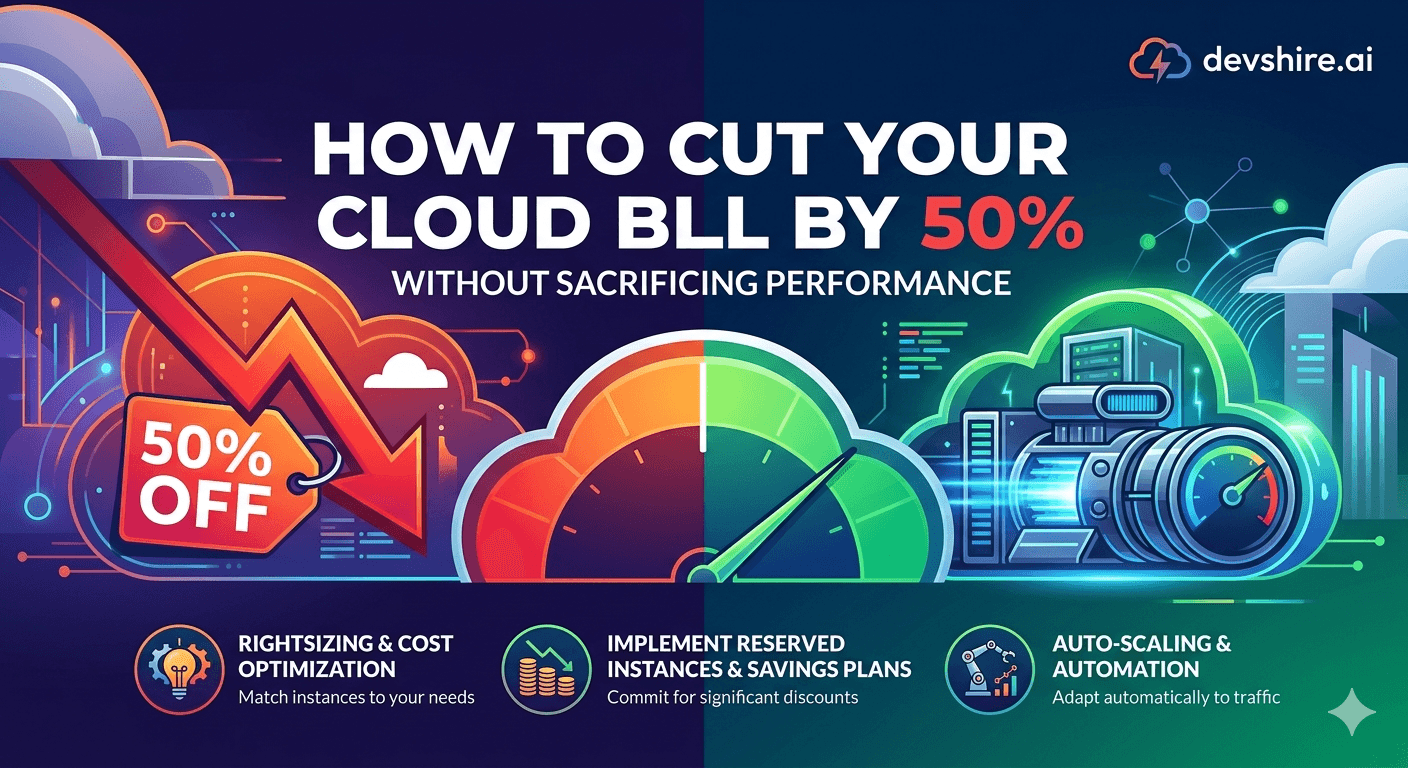
The cloud bill arrives and nobody's happy. Somehow, a product serving a few thousand users is costing $3,000 a month when you estimated $800. The bill is full of line items you recognise but haven't questioned — EC2 instances that are 20% utilised, S3 storage for files nobody accesses, and egress fees that seem disproportionate to your actual traffic. Cloud costs are one of the most controllable expenses in a startup's P&L, and most teams are overpaying by 40–60% without knowing it. The fixes aren't complicated. They just require looking at the right numbers and making the right configuration changes. Here's the specific sequence that actually cuts costs without creating performance problems.
💡 TL;DR
Most startup cloud overspend comes from four places: over-provisioned compute (running large instances at low utilisation), on-demand pricing where reserved instances would be 40–60% cheaper, data transfer (egress) fees that weren't estimated, and orphaned resources nobody deleted. A rigorous audit of these four categories typically finds 30–50% savings within one month. The changes are configuration and pricing model decisions — not architecture rewrites.
Find the Waste Before You Optimise Anything
The biggest mistake in cloud cost optimisation is jumping to solutions before understanding where the money is going. Spend one hour in your cloud cost explorer before making any changes. The data will surprise you.
🔍 Run a cost-by-service breakdown
AWS Cost Explorer, Google Cloud Billing, and Azure Cost Management all show spend broken down by service. Most teams discover that 60–80% of their bill comes from 2–3 services. Identify your top three cost items and focus there — optimising everything else is low-ROI until the big items are addressed.
📊 Check utilisation metrics for your compute
Pull CPU and memory utilisation for your EC2, GCE, or Azure VM instances over the last 30 days. Average utilisation under 30% on any instance is a strong rightsizing signal. If your m5.xlarge (4 vCPUs, 16GB RAM) runs at 15% CPU average, you're paying for capacity you're not using. Rightsizing to a m5.large saves roughly 50% of that instance's cost.
👻 Find orphaned resources
Unattached EBS volumes, unused Elastic IP addresses, old AMI snapshots, and stopped instances that haven't been terminated. These accumulate when developers spin up resources for testing and don't clean up. A basic audit of unattached EBS volumes alone often finds $50–$200/month in unused storage on a typical startup AWS account. Set a quarterly calendar reminder to audit for orphaned resources.
Compute Rightsizing: The Biggest Single Saving
Over-provisioned compute is the most common source of cloud waste and the easiest to fix. The pattern: engineers provision instances large enough to handle peak load with headroom, then forget about them. Months later, they're running at 15% average utilisation and paying full on-demand price for capacity they almost never use.
📉 Rightsize before reserving
Don't buy reserved instances until you've rightsized your compute. Committing to a reserved instance on an over-provisioned instance locks in waste for 1–3 years. First, determine the correct instance size based on actual utilisation metrics (target 50–70% average CPU utilisation for a properly sized instance). Then buy reserved capacity at that size.
💰 Switch from on-demand to reserved instances
On-demand pricing is the highest price tier — you pay for flexibility you often don't need. AWS Reserved Instances for a 1-year term save 40% versus on-demand. 3-year reserved saves up to 60%. Google Cloud committed use discounts save 37–55%. For any compute resource that's been running for 3+ months and will continue running, reserved pricing is almost always the right call.
⚡ Use spot/preemptible instances for background work
AWS Spot Instances and GCP Preemptible VMs offer 60–90% discounts on compute capacity with the caveat that instances can be terminated on 2-minute notice. For workloads that can tolerate interruption — batch processing, model training, large data exports — spot pricing is dramatically cheaper. Don't use spot for your primary application servers, but route any interruptible background work to spot capacity.
Storage and Egress: The Two Bill Items That Surprise Everyone
Storage and data transfer costs are the line items that catch startups off guard. They seem small individually — $0.023 per GB for S3 storage, $0.09 per GB for egress — but they scale with data growth and traffic in ways that weren't obvious at small scale.
🗄️ Implement S3 lifecycle policies
Objects in S3 Standard storage cost $0.023/GB/month. Objects in S3 Glacier Instant Retrieval cost $0.004/GB/month — an 83% reduction. Set a lifecycle policy that moves objects to Glacier Instant Retrieval after 90 days if they haven't been accessed. For objects you're keeping for compliance or archival purposes, this is a straightforward cost reduction with no functional impact on your application.
🌐 Reduce egress costs with a CDN
AWS charges $0.09/GB for data transferred out to the internet. CloudFront (AWS's CDN) charges $0.0085/GB for most regions — a 90% reduction for cached content. For static assets, images, and documents that multiple users request, routing through CloudFront instead of directly from S3 or your origin server dramatically cuts egress costs. The CDN also improves performance for end users, so this is a win on both dimensions.
📦 Delete unnecessary snapshots and old images
EBS snapshots, container images in ECR, and database automated backups accumulate. A well-aged AWS account might have hundreds of old snapshots that nobody has deleted. EBS snapshots cost $0.05/GB/month. An audit of your snapshots and a retention policy (keep last 7 daily, last 4 weekly, last 3 monthly) typically saves $100–$500/month at medium account scale. Automate the policy rather than doing it manually.
Database Cost Optimisation Without Compromising Reliability
RDS and Cloud SQL are typically in the top three cost items for any SaaS product. They're also the hardest to reduce without risking data reliability. Here's what's safe versus what's risky.
✅ Safe: rightsize your database instance
Database utilisation metrics are available in CloudWatch and Cloud Monitoring. If your RDS instance runs at under 30% CPU and under 40% memory utilisation consistently, it's a rightsizing candidate. Moving from db.r5.xlarge ($0.48/hr) to db.r5.large ($0.24/hr) saves 50% with no application changes. Test the smaller instance in staging under load before switching production.
✅ Safe: switch to reserved RDS instances
RDS reserved instances follow the same pricing model as EC2 reserved instances — 1-year term saves 40%, 3-year saves up to 60%. Your database is a stable, long-running resource that's been running for months and will run indefinitely. Reserved pricing is almost always the right call once the instance size is confirmed.
⚠️ Risky: turning off Multi-AZ to save costs
Multi-AZ RDS doubles the cost but provides automatic failover if the primary instance fails. For production databases, this is not a cost to cut — it's the insurance premium that keeps you running when hardware fails. If Multi-AZ feels expensive, rightsize the instance first. Don't disable the HA setup to save money unless you're comfortable with the database being the single point of failure for your entire product.
[INTERNAL LINK: SaaS infrastructure and scaling → devshire.ai/blog/scale-mvp-to-10k-users]
Trusted by 500+ startups & agencies
"Hired in 2 hours. First sprint done in 3 days."
Michael L. · Marketing Director
"Way faster than any agency we've used."
Sophia M. · Content Strategist
"1 AI dev replaced our 3-person team cost."
Chris M. · Digital Marketing
Join 500+ teams building 3× faster with Devshire
1 AI-powered senior developer delivers the output of 3 traditional engineers — at 40% of the cost. Hire in under 24 hours.
The Bottom Line
Run a cost-by-service breakdown before making any changes. 60–80% of your bill comes from 2–3 services. Focus there first.
Average compute utilisation under 30% is a rightsizing signal. Rightsize before buying reserved instances — don't lock in over-provisioned capacity at a discount.
Switching from on-demand to reserved compute saves 40–60% on stable, long-running instances. Any instance running for 3+ months with no end in sight should be on reserved pricing.
S3 lifecycle policies moving unaccessed objects to Glacier Instant Retrieval after 90 days save 83% on storage costs for those objects. Set this up as a policy, not a manual process.
Routing static assets through a CDN (CloudFront, Cloud CDN) cuts egress costs by 90% versus serving directly from origin. This also improves end-user performance.
Orphaned resources (unattached EBS volumes, old snapshots, unused Elastic IPs) accumulate silently. Audit quarterly and set retention policies to prevent re-accumulation.
Don't disable Multi-AZ for RDS to save money. Rightsize the instance instead. The HA cost is an insurance premium, not waste.
Frequently Asked Questions
How do I reduce my AWS bill without affecting performance?
Start with a cost explorer breakdown to identify your top three cost drivers. For compute: check utilisation metrics and rightsize over-provisioned instances, then switch to reserved pricing. For storage: implement S3 lifecycle policies to move unaccessed objects to cheaper storage tiers. For egress: route static content through CloudFront. Audit for orphaned resources. These changes are configuration decisions — none of them reduce compute capacity or affect application performance.
How much can a startup realistically save on cloud costs?
Most startups overpay by 40–60% on cloud infrastructure before any systematic optimisation. Teams that do a comprehensive audit — rightsizing compute, switching to reserved instances, implementing storage lifecycle policies, cleaning up orphaned resources — typically reduce their bill by 30–50% within 30 days. The savings compound over time as reserved instance commitments mature and storage lifecycle policies take effect.
Are AWS Reserved Instances worth it for startups?
Yes, for any resource that's been running for 3+ months and will continue running. On-demand pricing is the highest tier — you pay a flexibility premium that you don't need for stable, long-running resources. A 1-year reserved instance saves 40% versus on-demand. The only caveat: rightsize your instances before reserving. Committing to reserved pricing on an over-provisioned instance locks in waste.
What are the most common hidden costs in AWS for startups?
Data egress fees (charged per GB transferred out of AWS to the internet — $0.09/GB in most regions), NAT Gateway data processing fees ($0.045/GB for traffic routed through a NAT Gateway), EBS snapshot storage accumulation, unused Elastic IP addresses ($0.005/hour when not attached to a running instance), and CloudWatch log retention (storing logs indefinitely in CloudWatch is expensive — set a retention policy and export to S3 for long-term storage).
How do I reduce AWS S3 storage costs?
Implement S3 Intelligent-Tiering or manual lifecycle policies. S3 Intelligent-Tiering automatically moves objects to cheaper storage tiers after 30 days of no access — zero retrieval fees and no minimum storage duration for objects over 128KB. For predictable access patterns, manual lifecycle rules are cheaper (no Intelligent-Tiering monitoring fee). Move objects to Glacier Instant Retrieval after 90 days for an 83% cost reduction. Delete old, unnecessary objects — especially old snapshot exports and log archives nobody accesses.
What is AWS egress cost and how do I reduce it?
AWS egress cost is the charge for data transferred out of AWS to the internet — $0.09/GB for most regions and the first 100GB/month. It applies when your application serves files, API responses, or media directly from AWS. To reduce it: serve static assets through CloudFront (reduces egress to $0.0085/GB for cached content), enable compression for API responses (Gzip or Brotli reduces data transfer volume by 60–80%), and keep high-bandwidth operations (like database backups or image processing) within the same AWS region to avoid inter-region transfer fees.
Should I use AWS Cost Explorer or a third-party tool to monitor cloud costs?
AWS Cost Explorer is sufficient for most startups and is free for basic usage (charges apply for advanced query features). It provides the service-level breakdown, utilisation recommendations, and reserved instance recommendations you need. Third-party tools like CloudHealth, Spot.io, or Infracost add value for larger teams with multi-cloud environments or teams that want automated rightsizing recommendations and anomaly alerts. For startups on a single cloud provider, Cost Explorer plus manual quarterly audits covers the key optimisation opportunities.
Need a Developer to Optimise Your Infrastructure Costs?
devshire.ai matches product teams with developers experienced in cloud cost optimisation, infrastructure rightsizing, and architecture improvements that reduce spend without reducing performance. Get a pre-vetted shortlist in 48–72 hours.
Start Your Search at devshire.ai →
No upfront cost · Shortlist in 48–72 hrs · Freelance & full-time · Stack-matched candidates
About devshire.ai — devshire.ai matches AI-powered engineering talent with product teams. Every developer has passed a live proficiency screen. Typical time-to-hire: 8–12 days. Start hiring →
Related reading: How to Reduce Developer Costs at Your Startup · How to Scale Your MVP to 10k Users · Docker for Startups: Containerise Your App the Right Way · SaaS Security Best Practices · Automate Your Startup Backend With AI







Devshire Team
San Francisco · Responds in <2 hours
Hire your first AI developer — this week
Book a free 30-minute call. We'll match you with the right developer for your project and get you started within 24 hours.
<24h
Time to hire
3×
Faster builds
40%
Cost saved